AddressLab
Generate safe, realistic address test data without privacy risk — free, no sign-up, browser-only.
AddressLab
Submitted by the team
The Privacy Trap in Test Data: Why Real Addresses Are a Liability
Every development team that builds a checkout form, a CRM import, or a localization layer faces the same quiet dilemma: where do test addresses come from? The lazy answer is to grab a few real-looking addresses from a customer database or a colleague's address book. The consequences are rarely immediate, but they are structural. Real personal data in test environments creates compliance exposure under GDPR, CCPA, and a growing list of privacy regulations. It turns a staging database into a liability, a bug report into a potential breach, and a demo environment into a legal risk.
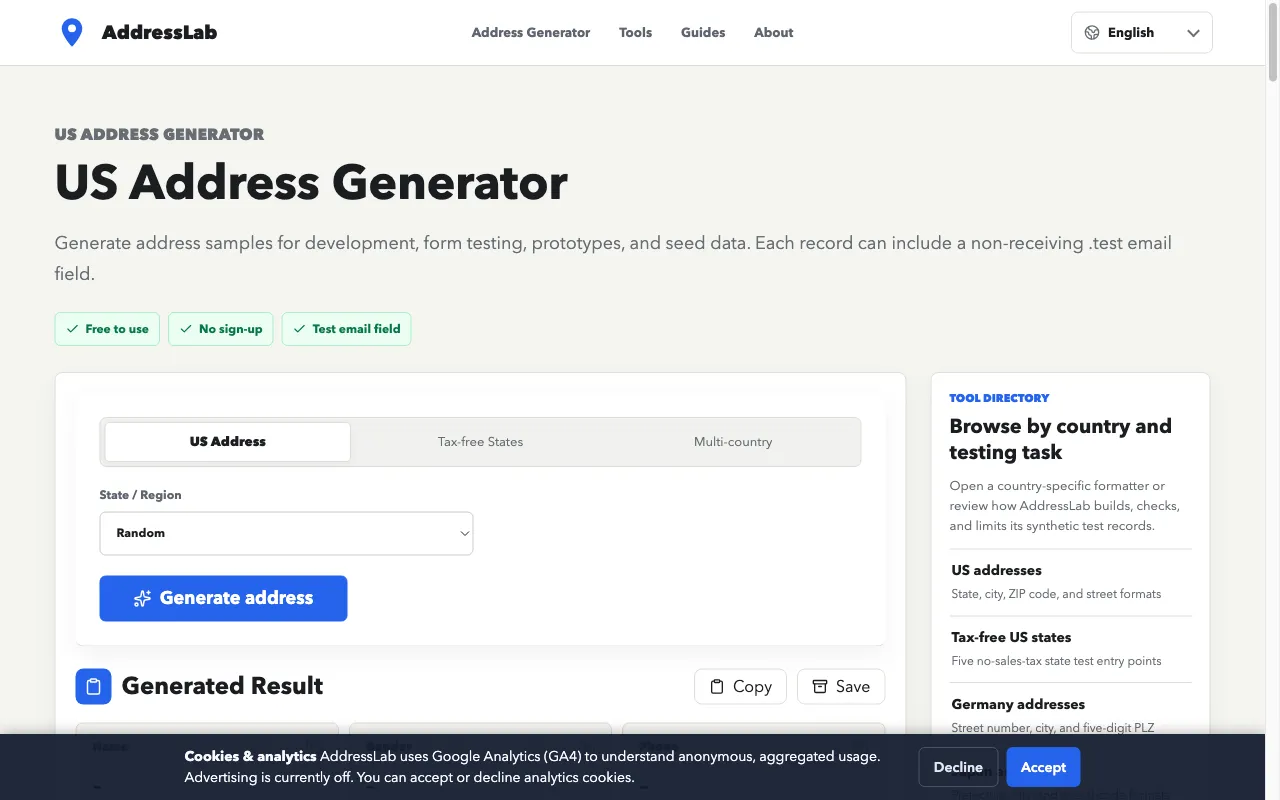
AddressLab attacks this problem at the source. It is a free, no-sign-up toolkit that generates synthetic but realistic address-format records for the US, Canada, the UK, Japan, Hong Kong, Australia, and Germany. The tool does not merely produce a street and a ZIP code; it assembles a complete record with a name, gender, phone-format sample, email-format sample, city, region, postal code, country, and a formatted full address. The explicit purpose is to give developers and QA engineers a safe, repeatable way to validate forms, exports, and storage without ever touching real customer data.
The market need is not hypothetical. Every form with an address field is a potential point of failure, and every failure that slips into production costs support time and customer trust. AddressLab's value proposition is simple: generate test data that looks real, behaves like real data in a form, but is provably synthetic and therefore safe to commit to a repository, share in a ticket, or use in a demo.
Browser-Only Generation: The Architectural Wedge Against Server-Side Tools
AddressLab's most consequential design decision is that all generation runs in the browser. Nothing is uploaded to a server; no account is required; no API key is needed. This is a deliberate architectural wedge that differentiates it from most developer tools, which typically require an SDK, a CLI, or at least a sign-up to access a hosted service.
The browser-only approach has three strategic advantages. First, it eliminates the trust barrier. A developer who is already paranoid about data privacy does not need to wonder where the generated data goes; it never leaves their machine. AddressLab's trust page makes this explicit: "All generation runs in your browser; nothing is uploaded to a server." Second, it removes friction. There is no onboarding, no authentication, no rate limit. A developer can land on the page, generate a record, and copy it into a test fixture in under ten seconds. Third, it aligns with the modern shift toward client-side tooling, where lightweight utilities that respect user control are increasingly preferred over heavyweight SaaS platforms.
The trade-off is that AddressLab cannot offer server-side features like an API, team collaboration, or centralized storage. But for its target user—a developer or QA engineer who needs a quick, safe fixture—these are not missing features; they are avoided complexities. The tool's local save and export to CSV or JSON provide just enough persistence without requiring a backend.
Competing with Faker, Paid Generators, and Spreadsheet Workarounds
The competitive landscape for synthetic address data is fragmented. The most common alternative is the open-source library Faker, which is available in most programming languages and can generate addresses as part of a larger test-data toolkit. Faker is powerful, but it has a learning curve and is often overkill for a simple form test. It also outputs data in a format that may not match the exact field structure of a specific form, requiring additional mapping.
At the other end of the spectrum are paid data generation services, such as Mockaroo or GenerateData, which offer more features but require an account and often a subscription. These are aimed at teams that need bulk data or API access, not at a developer who just wants a few realistic addresses for a demo.
Then there is the spreadsheet workaround: manually typing or copying addresses from a public directory. This is slow, error-prone, and often produces data that is either too obviously fake (e.g., "123 Main St") or too close to real addresses, creating the privacy risk AddressLab aims to eliminate.
AddressLab sits in a niche that is underserved: a zero-friction, free, browser-based generator that is purpose-built for address data. It does not try to be a general-purpose test-data tool. It does one thing and does it well, with attention to format correctness (e.g., US ZIP codes, UK postcodes, Japanese postal codes) and to the specific needs of form testing, such as the ability to generate tax-free state addresses for checkout testing.
The .test Email Field: A Subtle But Critical Differentiator
One of AddressLab's most thoughtful features is the non-deliverable .test email field. Each generated record can include an email-format sample on the reserved .test domain, such as [email protected]. This is a small but significant innovation for form testing.
Real email addresses in test data are a problem. They may accidentally receive messages, they may be used for spam, or they may simply not exist, causing validation errors that are unrelated to the form's logic. The .test domain is reserved by the IETF for testing and documentation, so it is guaranteed not to resolve to a real mailbox. This means developers can use the email field to test email-format validation, length limits, copy actions, and export flows without any risk of accidental delivery or privacy leakage.
This feature is a differentiator because it addresses a pain point that generic generators ignore. Faker can produce a random email, but that email might accidentally correspond to a real person's address. AddressLab's .test email is explicitly non-deliverable, making it safe for any test scenario. It also demonstrates a deep understanding of the QA workflow: the tool is not just generating data; it is generating data that is designed to be safe and useful in a specific context.
Free as a Business Model: The Long Game for a No-Sign-Up Tool
AddressLab is free, with no sign-up and no advertising currently enabled. This raises an obvious question: how does it sustain itself? The answer appears to be a classic long-game strategy: build a useful, trustworthy tool that earns organic traffic and becomes a default resource for developers and QA engineers.
The tool's SEO strategy is evident in its structure. It has dedicated pages for each country generator (US, Germany, Japan, Canada, Hong Kong) and for specific use cases (tax-free states, postal code checker, temporary email for testing). These pages target long-tail keywords like "US address generator" or "tax-free state address generator," which have high commercial intent for developers searching for test data. The guides section further reinforces this by offering practical advice on form testing and international address formats, positioning AddressLab as an authority in the niche.
Monetization could come later, through advertising (the site mentions it is currently reviewing policy compliance), a premium tier with advanced features (e.g., API access, bulk generation, custom formats), or partnerships with testing frameworks. But the current focus is clearly on growth and trust. By being free and privacy-respecting, AddressLab builds a user base that is likely to return and recommend the tool to colleagues.
The risk is that free tools can struggle to convert to paid, especially when the core utility is simple and easily replicated. However, AddressLab's browser-only architecture and its focus on a specific, high-frequency task (address testing) give it a moat that a generic generator would find hard to cross. The tool's quality and attention to detail—such as the .test email field and the multi-country format support—create a user experience that is hard to match with a quick script.
The Road to Localization Depth: Multi-Country Formats as a Moat
AddressLab's expansion from a US-only generator to a multi-country tool is a strategic move that deepens its competitive moat. Address formats vary significantly by country: the UK uses postcodes with a specific structure, Japan uses a prefecture-city-ward system, and Hong Kong often has no postal code at all. Testing these formats is a common pain point for teams building international products, and generic generators often fail to produce realistic, format-correct data.
By offering country-specific generators, AddressLab addresses a real need in localization testing. The tool's guides on international address form testing and its checklist for multi-country forms suggest that the team understands the complexity of this space. The inclusion of Germany, a large European market, and the promise of more countries in the future, indicate a roadmap that could make AddressLab the go-to resource for address test data across the globe.
The moat here is not just the data itself—which is relatively easy to generate—but the editorial quality and the trust that comes from reviewing formats against public postal guidance (USPS, Royal Mail, Canada Post, Japan Post, UPU). This attention to correctness is rare in free tools and is likely to be appreciated by QA engineers who have been burned by generators that produce subtly wrong formats.
In the next three to five years, the address-testing market is likely to grow as more products go global and as privacy regulations tighten. AddressLab is well-positioned to capture this demand, provided it continues to expand its country coverage, maintain its trust advantage, and eventually find a sustainable revenue model that does not compromise its user-first philosophy.