Impact-Site-Verification: 41b53a0c-6d04-458b-a457-fe9e29acde1a

Developer Tools·Unknown··6 min read

betterimage.io

A no-signup social card generator that makes 1200×630 previews look intentional.

NN

NewName Editorial

Editorial Team

betterimage.io product image 1
betterimage.io product image 2
betterimage.io product image 3

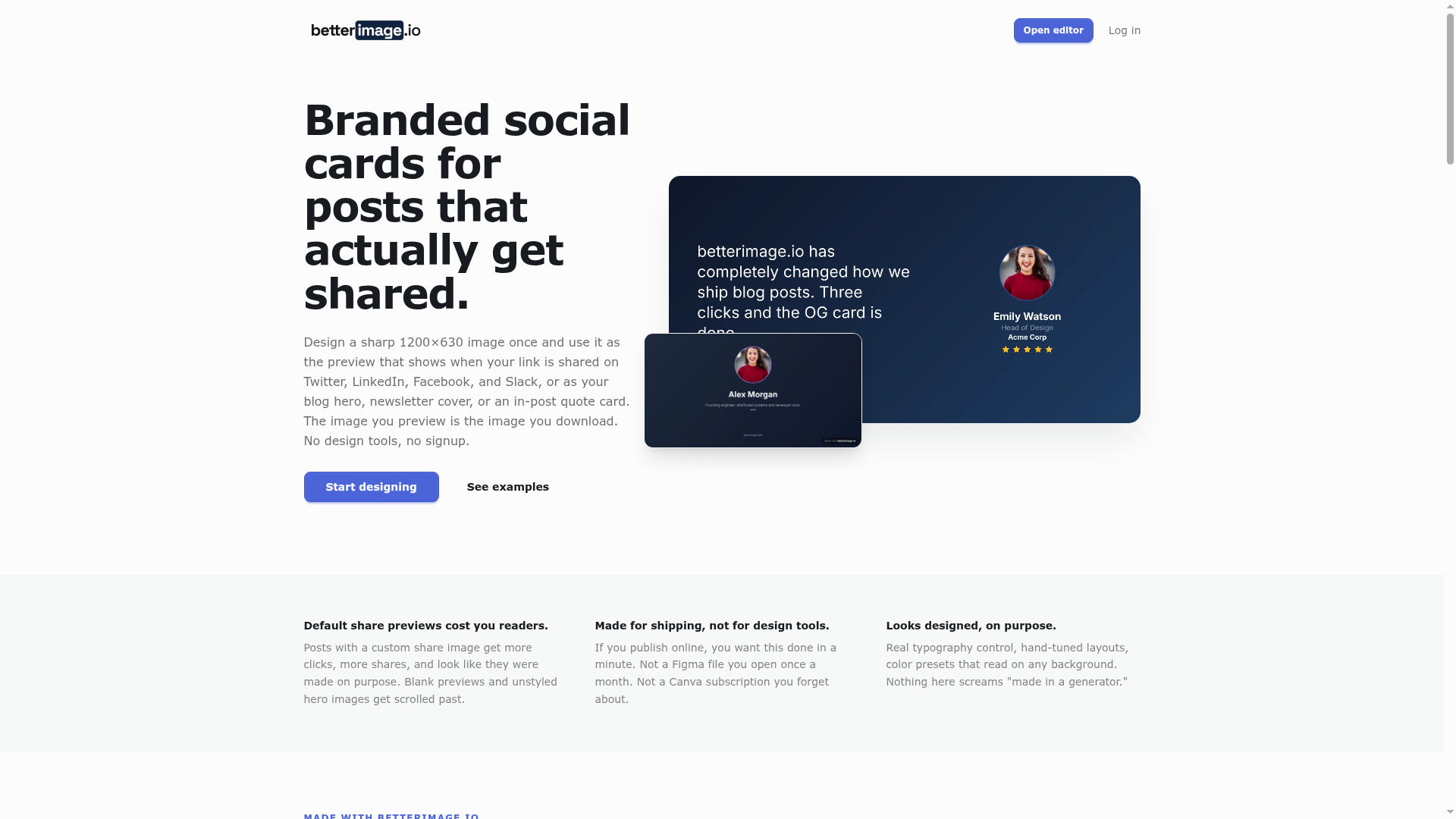
There is a specific size of image that the internet quietly demands of almost everyone who publishes: 1200×630 pixels. It is the Open Graph preview that appears when a link is shared on Twitter, LinkedIn, Facebook, or Slack. It is also the de facto hero image for blog posts and the cover of many newsletters. Most people do not design for this size; they crop, they stretch, or they let the platform auto-generate a sad thumbnail from whatever happens to be on the page. Betterimage.io treats that one dimension as a product category rather than an afterthought. The entire tool is built around producing a sharp, intentional 1200×630 PNG in under a minute, with no signup and no design-tool learning curve. That focus is both its strength and its limitation, and it is worth examining how a single image size can anchor a whole product.

The 1200×630 problem nobody wants to design for

Social cards are a weird corner of visual content. They are not quite banners, not quite infographics, and they have to work at a size that is wide but not tall. Most general-purpose design tools treat this as one of many possible canvases, which means you spend time setting up the document, choosing the right export settings, and hoping the text does not get cut off. Betterimage.io removes all of that friction by fixing the canvas at exactly 1200×630 pixels, the size the site notes is expected by Twitter, Facebook, LinkedIn, Slack, Discord, search, blog posts, and newsletters. The product's pitch is that you do not need to know any of that; you just type a title, drop in a photo, and download a clean image. This is a classic narrow-solution play: instead of competing with Figma or Canva on breadth, it competes on speed and specificity for one recurring task.

The preview is the product: why live parity matters

A common frustration with image generators is that the preview in the editor does not match the final output. You align something in the browser, export it, and the text wraps differently or the colors shift. Betterimage.io makes a point of saying, "The image you preview is the image you download," and the editor updates instantly as you change settings, with no render button to click. This is a small but meaningful trust signal. For a tool that is explicitly about link previews, the integrity of the preview is the entire value proposition. If the tool's own preview were unreliable, it would undermine the very thing it sells. The site's emphasis on live parity suggests the makers understood that the product's credibility depends on the fidelity of its output, not just the beauty of its templates.

Templates as starting points, not cages

Betterimage.io offers four template families: Basic, Profile, Testimonial, and Minimal. Each is pre-populated with sample content, so you can see a finished card before typing a single character. The gallery shows real PNGs rendered by the editor, and clicking one opens it in the editor with the same design preloaded. This is a clever onboarding mechanism: it lowers the barrier to entry by giving you a concrete starting point, but it does not lock you in. The site says you can switch layouts without losing the text you typed, which is a subtle but important feature. Many generators make you start over if you want a different layout; here, the design is modular enough that your copy survives a layout change. The templates also cover distinct jobs: a customer testimonial card with a star rating, a speaker bio card with a centered avatar, a manifesto card with a single bold line. This is not a generic "social media image" template; it is a set of specific use cases that recur in content marketing and personal branding.

Typography without the design-tool tax

One of the ways betterimage.io tries to avoid the "made in a generator" look is through real typography control. Each text element—title, description, tag, author, tagline—can have its own font, weight, size, color, and alignment. The bundled fonts are a thoughtful selection: Inter for UI-friendly neutrality, Poppins for geometric friendliness, Playfair Display for editorial elegance, Space Grotesk for a modern technical feel, and JetBrains Mono for code or data vibes. This is a small but curated set, which is arguably better than a huge library that leads to choice paralysis. The site also offers color presets that set background, accent, and text colors together, plus gradients and optional dot, grid, or graph-paper overlays. These are the controls that matter for making a card look intentional, without the complexity of a full design suite. The tradeoff is that you cannot upload custom fonts or do pixel-level positioning, but for the target user—someone who wants a professional-looking card in minutes—that is probably a feature, not a bug.

The watermark as a business model

The free download includes a small "Made with betterimage.io" mark in the corner. That is how the project is funded, according to the FAQ. A one-time payment of $4.99 removes the watermark from the same image, with no account required. This is a refreshingly simple monetization model compared to subscription fatigue. It aligns incentives: the tool is free to try, and you only pay when you want a clean, professional output. The watermark also serves as a subtle marketing mechanism—every shared card with the mark is a potential referral. The FAQ is transparent about this, saying, "The product is the tool, not the output," which clarifies that you own the images you create and can use them commercially. This honesty is a good sign for trust, especially for a tool that lives in the browser and handles user uploads.

What the name promises and what it leaves out

The name "betterimage.io" is a bold claim. It suggests that the images you make with this tool will be better than the default previews, and the tagline "Free Social Card Generator" is clear about the category. The .io domain gives it a techy, startup feel, which fits the developer-tools category. But the name is also generic—it could apply to any image tool, and it does not hint at the specific 1200×630 social card focus. That is a double-edged sword: it is easy to remember and leaves room for expansion, but it does not communicate the niche. The site's footer lists separate generator pages for OG images, Twitter cards, LinkedIn post images, testimonial cards, and quote cards, which suggests the maker is thinking about SEO and specific use cases. The name may be a placeholder for a broader image tool, or it may be a deliberate choice to own the "better image" promise. Either way, it is a name that is easy to say and type, which matters for a tool you might use once a month.

Betterimage.io is not trying to replace your design workflow. It is a targeted utility for a recurring, annoying task: making a link look like you meant it. By focusing on one size, one output format, and a frictionless flow, it does that job well. The live preview parity and the watermark-as-pricing model are smart, honest choices. The main open question is whether the niche is big enough to sustain a product, or whether it will get absorbed into a larger platform. For now, it is a useful tool that respects your time and your wallet, and that is a better image than most.