MJSFX
A free, native macOS sound design studio with visual feedback and AI assistance.
NewName Editorial
Editorial Team
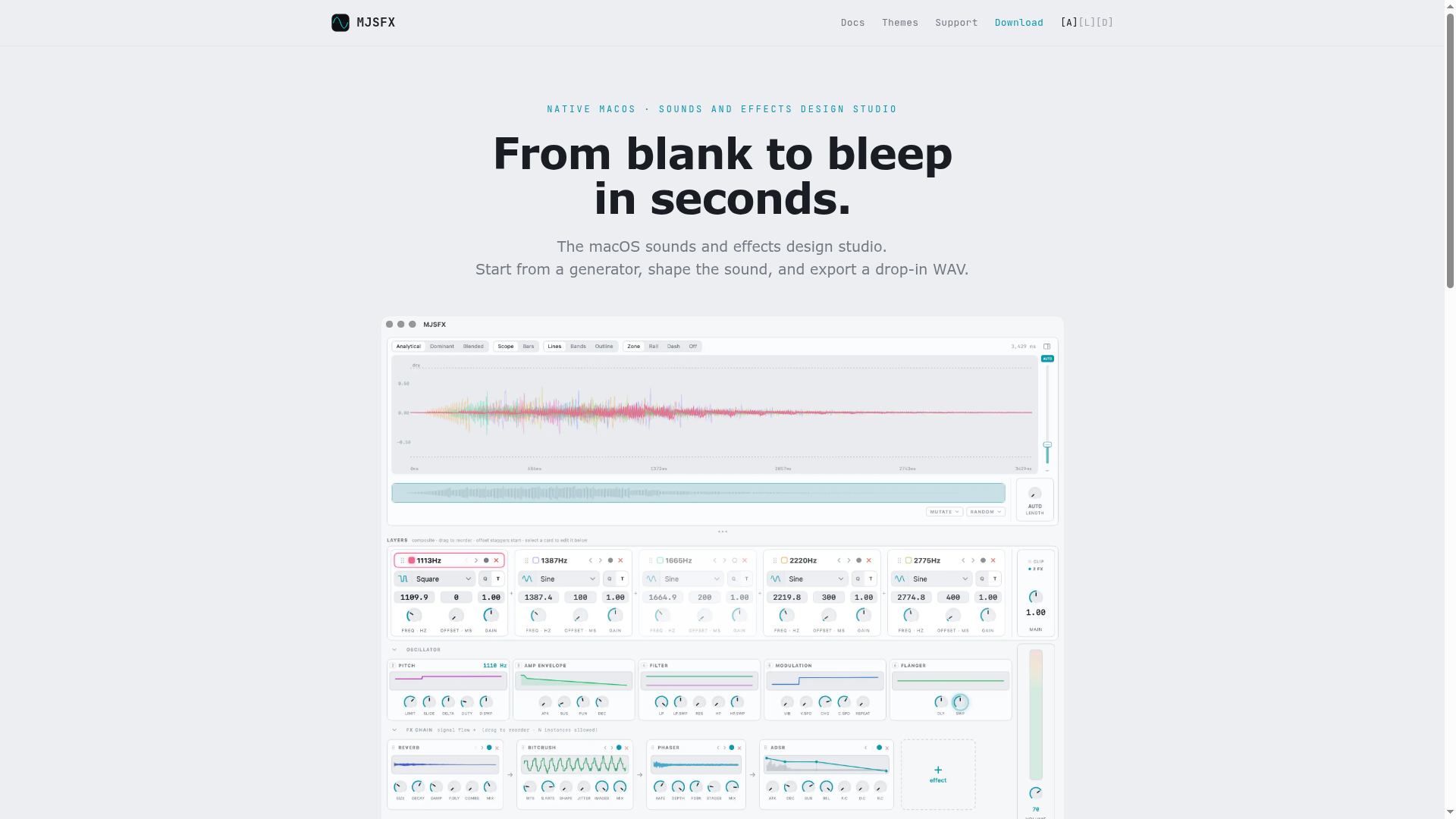
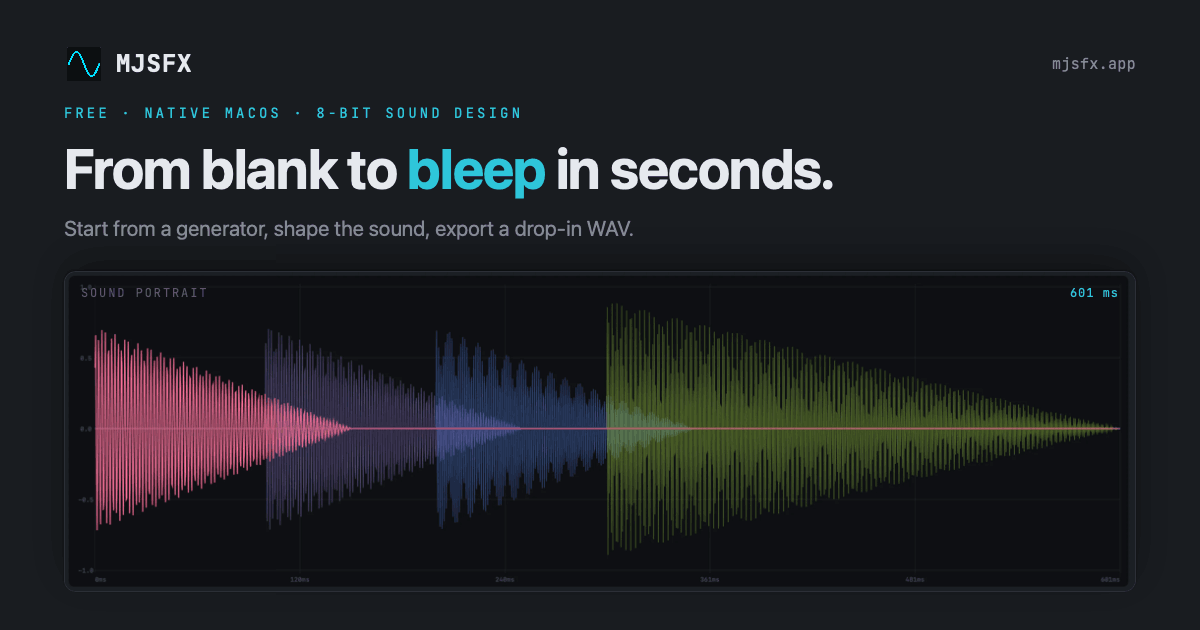
MJSFX is not another bloated DAW. It is a focused, native macOS application that promises to take you "from blank to bleep in seconds," and it largely delivers on that promise through a combination of curated generators, a unique visual feedback system, and a surprisingly developer-friendly architecture. The app is free, has no tracking, and even includes an AI design option via a Claude MCP server. This is a tool that respects both the beginner who wants a quick laser sound and the tinkerer who wants to modulate an LFO with another LFO.
From blank to bleep: the pitch
The core loop is simple: pick a generator, shape the sound, and export a WAV. Generators are curated starting points for classic game and UI sounds—pickups, lasers, explosions, jumps, hits, power-ups, blips. This immediately lowers the barrier to entry. Instead of staring at a blank patch or a complex modular rack, you start close to your goal. The app's tagline, "From blank to bleep in seconds," is not just marketing; the workflow is designed to get you to a usable sound fast.
The Sound Portrait: seeing pitch as color
One of MJSFX's most distinctive features is the Sound Portrait. This is a live visualization that fuses waveform, amplitude, and pitch into a single image. Pitch is encoded as color: low notes toward red, high notes toward violet, on a fixed scale. This means the same pitch always appears the same color, making it easier to visually identify tonal shifts. The portrait redraws in real time as you edit, and it animates a playhead during playback. For sound designers who think visually, this is a powerful tool. It provides an immediate, intuitive grasp of the sound's shape and pitch contour, something that traditional waveform displays lack.
Generators, layers, and the art of the starting point
The generator system is more than just presets. Each generator is a recipe that puts you in the ballpark, but the real power lies in the layer system. You can stack multiple oscillators, each with its own pitch sweep, amplitude envelope, and filters. This allows for complex, evolving sounds. The effects chain is equally robust, with 15 effects from ADSR to Tremolo, chainable per layer or across the whole sound. LFOs can modulate any knob, and they can even modulate each other, opening up intricate modulation possibilities. The randomize feature (press R) is a great way to break out of creative ruts, and every edit is undoable.
MIDI and the hardware connection
MJSFX takes hardware control seriously. You can map knobs, faders, and pads from MIDI controllers to any parameter. Bindings follow the active layer, and you can save named profiles per controller. The app even converts MIDI notes to their exact pitch, which is useful for designing sounds that need to be in tune. A single push encoder can drive the whole window, making it possible to perform or tweak sounds without touching the mouse. This is a feature that many software synths lack, and it positions MJSFX as a tool that can sit comfortably in a hardware-based studio.
Export as a feature: retro WAVs and stems
The export options are a standout. You can export to WAV at 44.1, 22, or 11 kHz, and 16 or 8-bit. These are the authentic rates and depths used by retro game engines, and having them as one-click options is a huge time-saver for chiptune and indie developers. You can also export per-layer stems, which is invaluable for mixing or for using individual layers in other projects. The app also generates waveform thumbnails for sound files in Finder, a small but thoughtful touch that makes browsing your library easier.
The AI MCP server: a developer's door into sound
The most intriguing aspect of MJSFX is its AI integration. The direct download version includes an MCP (Model Context Protocol) server that allows AI assistants like Claude to design sounds. You can ask in plain language, "make me a coin pickup," and the AI will generate the sound and place it in your library. Everything runs locally; the headless engine writes only into your chosen workspace folder. This is a clever approach that treats AI as a design partner rather than a gimmick. The companion sound-design skill for Claude Code teaches the AI the craft of sound design, including character recipes and layering. This is a forward-thinking move that could make MJSFX a favorite among developers who want to integrate sound generation into their workflow.
Free, private, and the name that says it all
The app is free, with no login, no tracking, no analytics, and no ads. The website states, "The same way I like my apps," which suggests a solo developer's philosophy. This is a refreshing stance in an industry where subscription fees are the norm. The name MJSFX is simple and functional: it likely stands for the developer's initials (Matthew J. Schultz) plus SFX (sound effects). It's not flashy, but it's memorable and descriptive. The domain mjsfx.app is clean and fits the product perfectly. The branding is understated, letting the tool speak for itself.
MJSFX is a well-crafted tool that fills a specific niche: quick, expressive sound design on macOS. Its visual feedback, MIDI support, and developer-friendly features make it a compelling choice for indie game developers, sound designers, and anyone who needs to create UI sounds without a steep learning curve. The free price point and privacy focus are strong selling points, and the AI integration hints at a future where sound design is more accessible than ever.