PixyCAD
Professional 3D CAD for iPad and Mac, built for makers who want precision without the learning curve.
NewName Editorial
Editorial Team
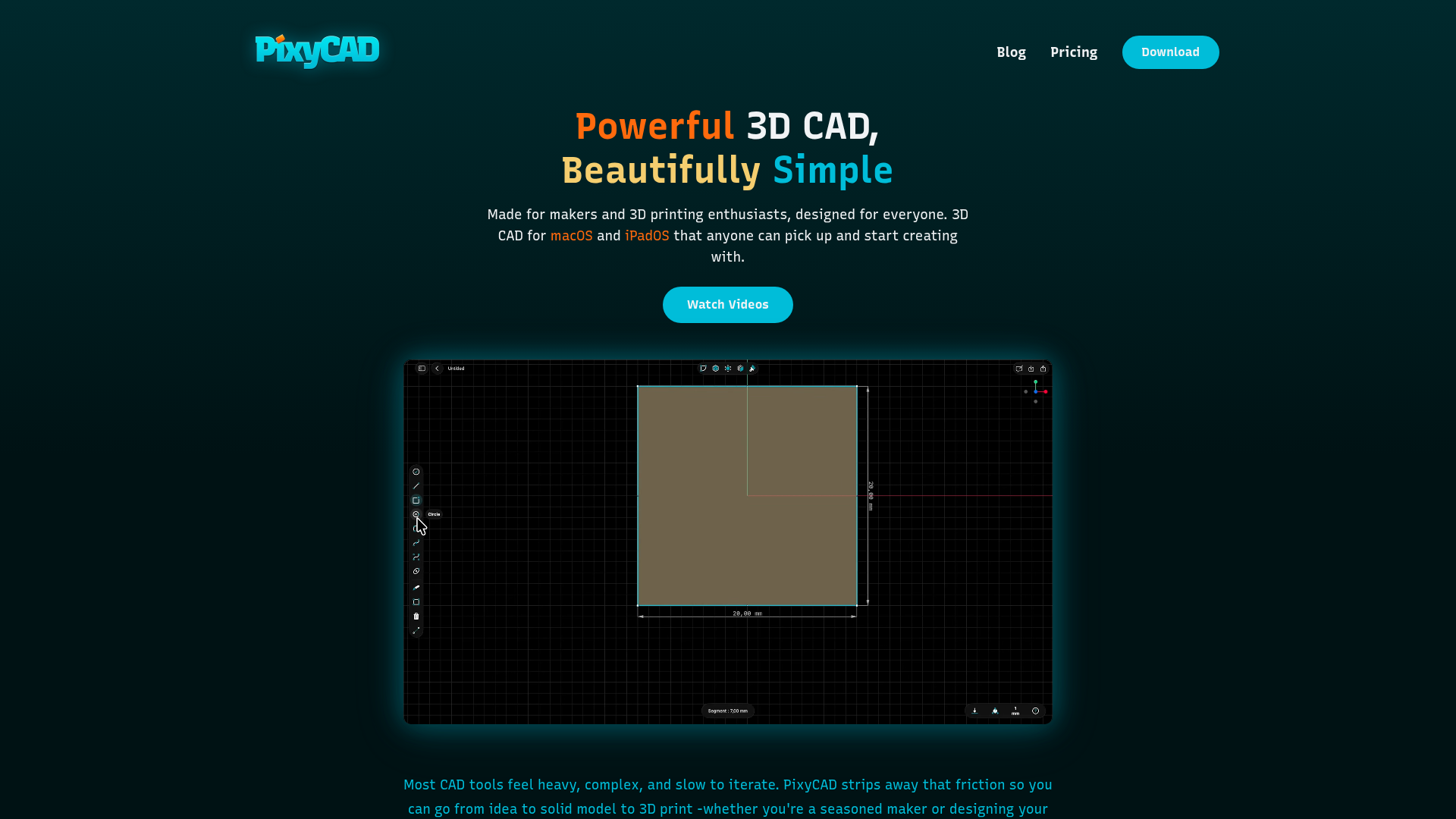
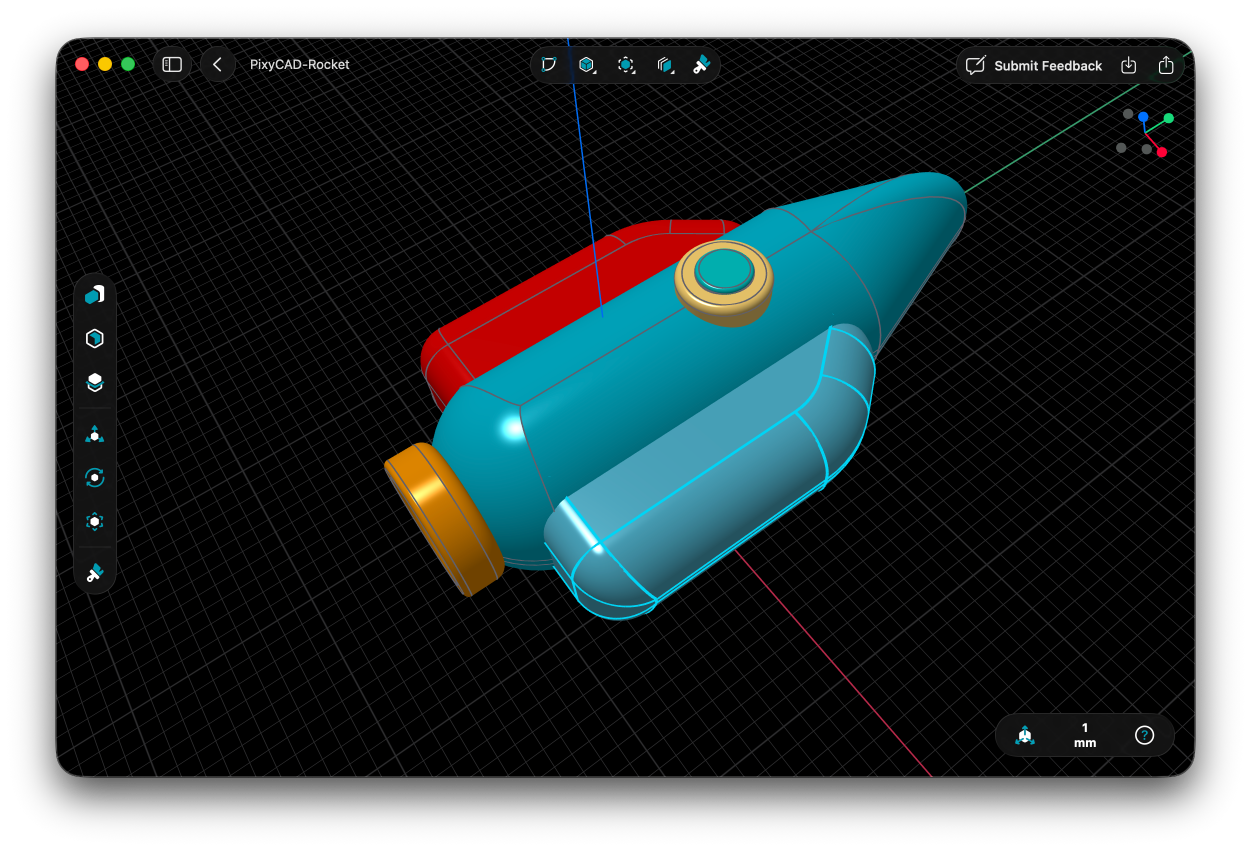

Most CAD tools have a clear audience: engineers who learned on a workstation, memorized keyboard shortcuts, and tolerate a UI that looks like it was designed in 1998. PixyCAD is aimed at a different group — makers, 3D-printing enthusiasts, and hobbyists who want to design a part, not learn a profession. The app, native to iPad and Mac, is built around the Apple Pencil and a promise of speed, but it doesn't skimp on the geometry engine: it runs on Parasolid, the same kernel that powers many industrial CAD systems. That combination — a consumer-friendly interface on top of professional-grade math — is the core of PixyCAD's pitch, and it raises a question: can a tool that feels like sketching actually deliver the precision that solid modeling demands?
The CAD gap PixyCAD is trying to close
Traditional CAD software is powerful, but it's also heavy. The learning curve is steep, the interface is cluttered, and the workflow assumes you're sitting at a desk with a mouse and a keyboard. PixyCAD's website describes the problem plainly: "Most CAD tools feel heavy, complex, and slow to iterate." The company's answer is to strip away that friction and focus on a fast maker workflow — one that starts with a sketch on an iPad and ends with an STL file for printing.
This isn't just a UI polish. PixyCAD is designed for a specific loop: idea, sketch, model, print. The tools are tuned for rapid changes and experimentation, and the interface is supposed to stay out of the way so you see "your model and your measurements." For makers who are used to jumping between a 3D modeling app and a slicer, that loop is familiar — but PixyCAD wants to make the modeling part feel as natural as drawing on paper.
Apple Pencil as a first-class modeling tool
The most distinctive choice in PixyCAD is making the Apple Pencil the primary input on iPad. The website calls it "Apple Pencil–First," and it's not just a marketing phrase — it changes how you interact with the model. Instead of typing coordinates or dragging with a mouse, you sketch your idea directly, and PixyCAD turns it into a precise 3D model. The claim is that you can do this "no CAD experience needed."
That's a bold promise. Traditional CAD is precise because it's abstract: you type in dimensions, you constrain geometry, you work with exact values. Sketching is intuitive, but it's also imprecise. PixyCAD's challenge is to make the pencil input feel natural while still giving you the control to produce a part that fits a 3D printer's tolerances. The website emphasizes that you can "create, adjust and tweak" quickly, which suggests the app is designed for iteration — you sketch a rough shape, then refine it. Whether that workflow can replace traditional constraint-based modeling for complex parts is an open question, but for simple maker projects, it could be exactly what's needed.
Parasolid under the hood: pro geometry without the pro UI
Underneath the friendly interface, PixyCAD is powered by Parasolid, a geometric modeling kernel used in industrial CAD systems. This is a significant choice. Parasolid is the kind of technology that usually lives in expensive engineering software, not in an iPad app. By licensing it, PixyCAD gets professional-grade solid modeling capabilities — the ability to handle complex shapes, booleans, and fillets with accuracy — without having to build that from scratch.
The practical benefit is compatibility. PixyCAD exports STEP and Parasolid X_T files, which are standard formats for exchanging CAD data with other tools and manufacturers. That means a maker can design a part in PixyCAD and send it to a professional machining service without a format headache. For a hobbyist tool, that's a serious capability. It also signals that PixyCAD isn't just a toy — it's a real CAD tool with a real geometry engine, even if the interface is friendlier than what you'd find on a workstation.
The pricing bet: free forever, then a lifetime unlock
PixyCAD's pricing is unusual in the CAD world. There's a free tier that gives you "all advanced modelling tools" but limits you to two projects and low-resolution STL/3MF export. Then there's the Maker plan, which unlocks unlimited projects, high-resolution exports, and professional formats like STEP and Parasolid. The twist: you can buy it as a subscription ($179.99/year) or as a lifetime purchase ($179.00).
The lifetime option is a deliberate counter to subscription fatigue. The FAQ even asks, "Is this really a one-time purchase?" and answers yes — buy it once, keep it forever, no recurring payments. For a hobbyist who might use the app for years, that's an attractive deal. But it also puts pressure on PixyCAD to keep the app updated and relevant, since there's no recurring revenue to fund development. The free tier helps with adoption, but the real bet is that enough users will hit the project limit or want high-resolution exports to pay for the upgrade. It's a pricing model that respects the maker community's preference for owning tools, but it's a risky one for a small company.
The hardware floor: why iPadOS 26 and Apple Silicon matter
PixyCAD requires iPadOS 26.0+ or macOS 15.0+ with Apple Silicon. That's a hard requirement, and it's not just about performance — it's about the app's architecture. PixyCAD is "Metal-optimized and runs entirely on your device," with no cloud processing. That means all the geometry calculations happen locally, which is why the hardware floor is so high. Apple Silicon's unified memory and GPU capabilities are what make it possible to rotate, pan, and edit detailed models smoothly without lag.
This is a tradeoff. By going on-device, PixyCAD avoids the subscription cloud costs and privacy concerns that come with server-side processing, but it also limits the potential user base to people with recent Apple hardware. For makers who are already invested in the Apple ecosystem, that's a reasonable constraint. For everyone else, it's a barrier. The requirement also suggests that PixyCAD is betting on the iPad Pro as a serious creative tool — a bet that Apple has been making for years, but which is still not fully realized in the CAD world.
PixyCAD is a focused product with a clear thesis: professional CAD can be made approachable without sacrificing the underlying geometry engine. Whether it succeeds depends on whether makers will trust a pencil-driven workflow for real projects, and whether the lifetime pricing model can sustain the app's development. For now, it's a promising entry into a category that has long been dominated by desktop software with a steep learning curve. If PixyCAD delivers on its promise, it could be the tool that finally makes 3D modeling as accessible as sketching.