ScreenSnap Pro
One-time price, lifetime updates, and screenshots that look designed—not just captured.
NewName Editorial
Editorial Team


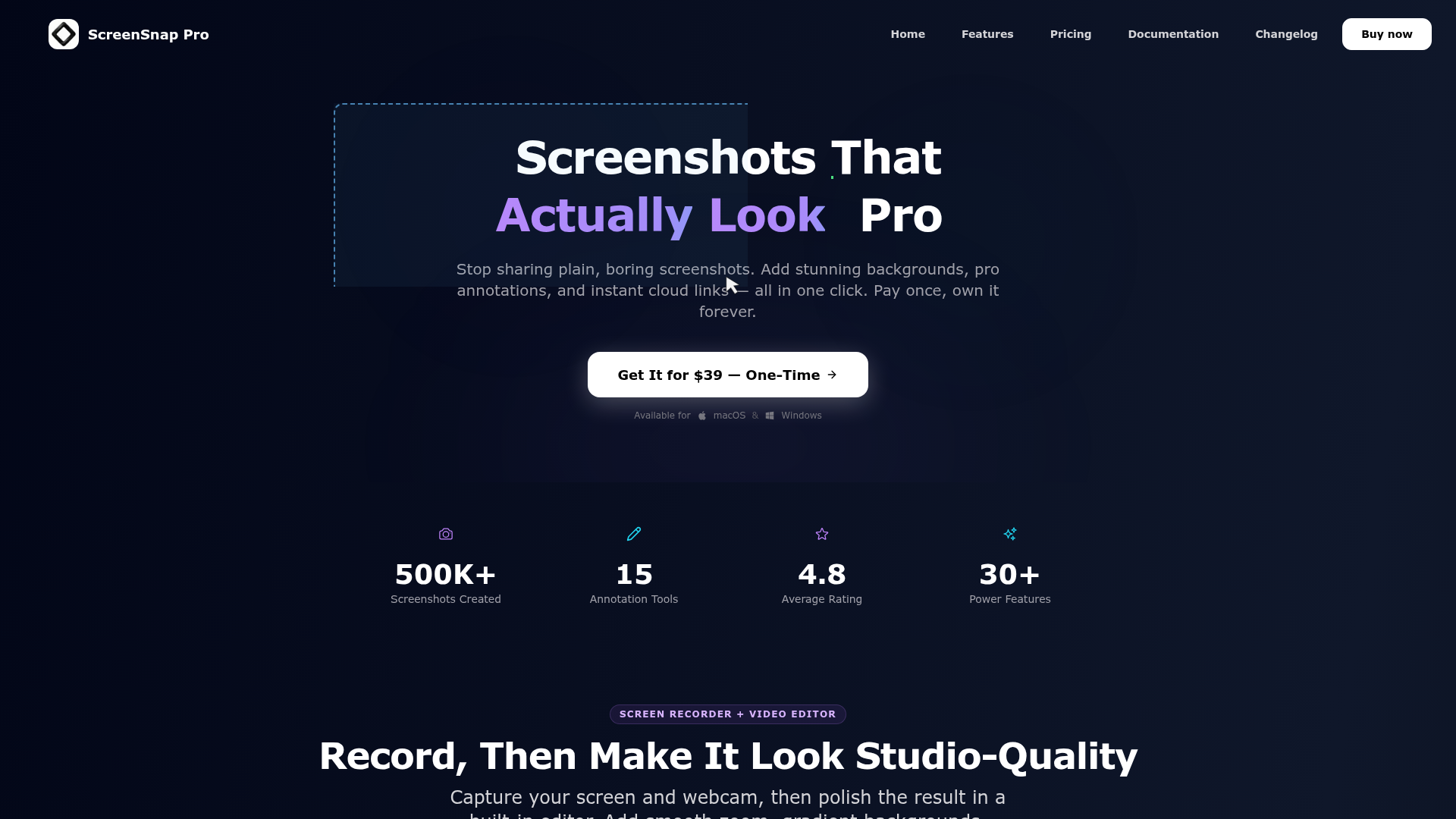
The screenshot is the most mundane artifact of digital work. It's the thing you dash off in a hurry, paste into a Slack thread, and forget. But for a small but growing cohort of developers, designers, and creators, the screenshot is also a first impression—a tiny piece of visual communication that says something about how you work. That's the audience ScreenSnap Pro is courting with a pitch that feels almost contrarian in 2026: pay $39 once, own it forever, and make every capture look like it was designed by someone with taste.
ScreenSnap Pro, built by solo founder Morgan (Iaroslav Morguov) and launched in 2025, is a Mac and Windows app that sits at the intersection of utility and aesthetics. It's not just a capture tool; it's a mini design studio for your screen. The tagline—"From capture to share in seconds"—understates the ambition. The real story is a bet against subscription fatigue, wrapped in a product that treats the humble screenshot as a craft.
The $39 Screenshot: A Bet Against Subscription Fatigue
The screenshot software market is crowded with excellent tools, many of which have moved to subscription models. CleanShot X, Snagit, and others offer powerful features but come with recurring fees. ScreenSnap Pro's one-time $39 price is a deliberate counter-move, and it's not just a pricing gimmick. The website is explicit: "Pay once, own it forever." No subscription, no upgrade fees, no feature paywalls. For a tool that you'll use dozens of times a day, that's a compelling value proposition.
But the bet goes deeper than price. It's a philosophical stance about ownership. In an era where software increasingly feels like a rental, ScreenSnap Pro positions itself as a tool you actually own—like a good hammer or a favorite pen. The founder's bio reinforces this: "The site is bootstrapped and profitable. There's no VC, no investors, and no upgrade fees. Updates are free for life—that's how a tool you actually own is supposed to work." That's a message that resonates with a certain kind of user: the one who's tired of watching their monthly subscription stack grow.
The risk is obvious: without recurring revenue, how does the product sustain itself? The answer, for now, is a lean operation. Morgan is a solo developer, and the site's transparency about its bootstrapped status is part of its charm. It's a bet that a fair price and a loyal user base can sustain a product better than a churn-driven subscription model.
From Plain Capture to Designed Visual: The 500+ Backgrounds Story
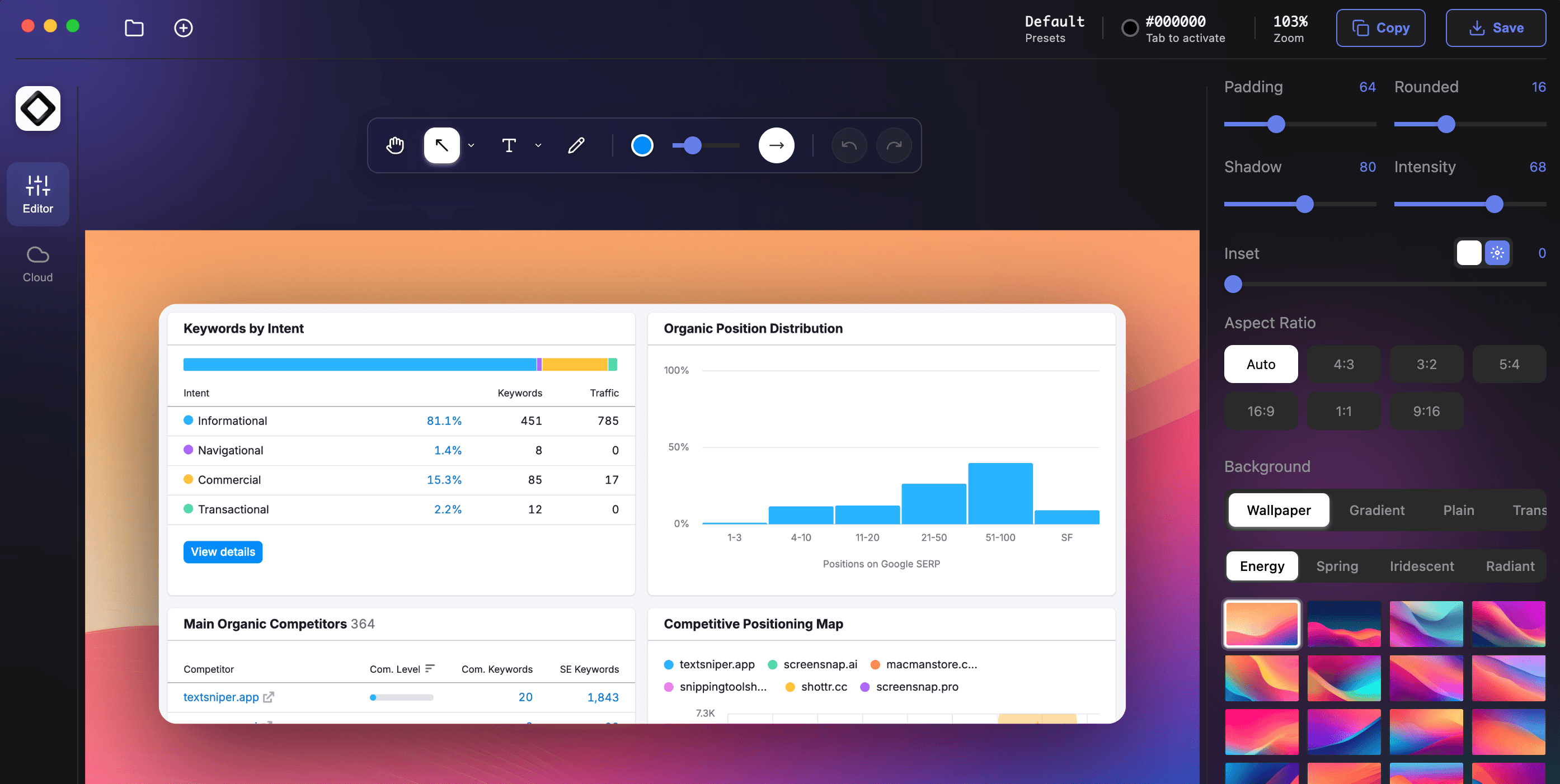
The core differentiator for ScreenSnap Pro isn't the capture mechanism—that's table stakes. It's what happens after you capture. The app's signature feature is its library of 500+ hand-crafted gradient backgrounds that turn a plain, hard-edged screenshot into something that looks like it belongs on a landing page or in a polished tutorial.
The website's before-and-after slider makes the case visually: a default macOS screenshot is flat, lifeless, and forgettable. Apply a ScreenSnap Pro background, add some padding and rounded corners, and suddenly it looks intentional. This isn't just cosmetic; it's a form of communication. In a world where attention is scarce, a well-framed screenshot can be the difference between someone reading your bug report or scrolling past it.
The backgrounds are organized into themes like Energy, Midnight, Radiant, and Sunset, and they're not just static colors—they're gradients that add depth and dimension. The app also includes 15 annotation tools, from arrows and shapes to blur and spotlight, so you can point out exactly what you mean without resorting to a separate image editor. For developers filing bug reports, designers sharing mockups, or creators making tutorials, this is a workflow accelerator.
Beyond Stills: The Built-In Video Editor as a Silent Differentiator
ScreenSnap Pro isn't content with just screenshots. It also includes a screen recorder and a built-in video editor, and this is where the product starts to blur the lines between a utility and a creative tool. You can capture your screen and webcam, then polish the result on a simple timeline: add smooth zoom, gradient backgrounds, padding, rounded corners, and shadows. The output can be a full video or a lightweight GIF.
This is a significant feature that many competitors lack. CleanShot X has some recording capabilities, but ScreenSnap Pro's editor is more ambitious, promising "studio-quality" videos without a subscription or a second app. For a solo developer or a small team, this could replace a tool like Loom or even a basic video editor for quick demos.
The video editor is a silent differentiator because it's not the first thing you notice about the product. The homepage leads with screenshots and backgrounds, but the recording features are a deep well. The ability to add a webcam bubble, capture system audio, and export as a GIF makes it a versatile tool for walkthroughs, bug reports, and social media content.
Cloud That Respects Your Choice: Optional, Secure, and Fast
One of the most thoughtful aspects of ScreenSnap Pro is its approach to cloud sharing. It's included in the $39 price, but it's entirely optional. You can capture, upload, and get a link in seconds, or you can use the app completely offline. The website is clear: "Don't need cloud? No problem. The app shines with or without it."
This is a refreshing stance in an era where cloud services are often forced on users. The cloud offering itself is solid: instant share links, signed URLs for security, and a global CDN for fast loading. The links are designed to be pasted into Slack, Discord, or email, and they support direct embedding in docs and blogs.
The security model is worth noting: "Your screenshots, protected by signed links. Only people you share with can access them." This is a simple but effective approach that avoids the complexity of user accounts and permissions. It's a pragmatic solution for a tool that's aimed at individuals and small teams.
A Solo Founder's Playbook: Bootstrapped, Profitable, and Personal
ScreenSnap Pro is a case study in solo founder economics. Morgan, who has spent over 15 years building consumer Mac apps and developer tools, created the tool he always wished existed. The website is refreshingly personal: "I built the tool I always wished existed. And honestly? It's the app I'm most proud of."
This personal touch extends to the support model. The site promises that Morgan typically replies within a few hours, "unless I'm asleep :)". That's a level of responsiveness that's rare in software, and it's a direct result of the bootstrapped, solo-founder approach. The product is profitable, which means there's no pressure to grow at all costs or to add features that don't serve the core mission.
The site also includes a blog, free tools, and comparison pages (e.g., vs CleanShot X, vs Snagit), which serve as both SEO magnets and honest assessments of where the product fits in the market. This transparency is part of the brand's appeal.
What ScreenSnap Pro Doesn't Tell You: Trade-offs and Open Questions
The website is refreshingly honest about what ScreenSnap Pro includes, but there are some trade-offs that aren't explicitly addressed. First, the price is $39, but that gets you 2 licenses, each on 2 computers (4 total). That's generous for a solo user but might be limiting for a team. Second, the video editor, while capable, is not a full-featured video editing suite. It's designed for quick, polished demos, not complex productions. Third, the cloud service is included, but the long-term sustainability of a bootstrapped cloud service is a question. If the founder moves on, what happens to the links?
There are also open questions about the product's roadmap. The website mentions "lifetime updates," but what does that mean in practice? Will new features be added, or is the product feature-complete? The changelog page might offer clues, but it's not linked in the main navigation.
Despite these uncertainties, ScreenSnap Pro's value proposition is clear and compelling. For anyone who shares screenshots regularly and cares about how they look, the $39 one-time price is a low-risk investment, especially with a 30-day money-back guarantee. It's a product that respects your wallet, your workflow, and your aesthetic sensibilities. In a market dominated by subscriptions, that's a refreshing change.