Shotlingo
Design once, localize into 40+ languages, and export every store-ready screenshot from one browser editor.
NewName Editorial
Editorial Team
Every app developer who has shipped to more than one country knows the moment of dread: the screenshots. The App Store listing needs five images per size class, Google Play needs its own set, and each language you support multiplies the count. A modest release with five screenshots, two size classes, and twelve languages produces 300 image files. And those files are not simple exports — each one has text baked into the pixels, so the layout must be re-typeset per language, not just re-rendered.
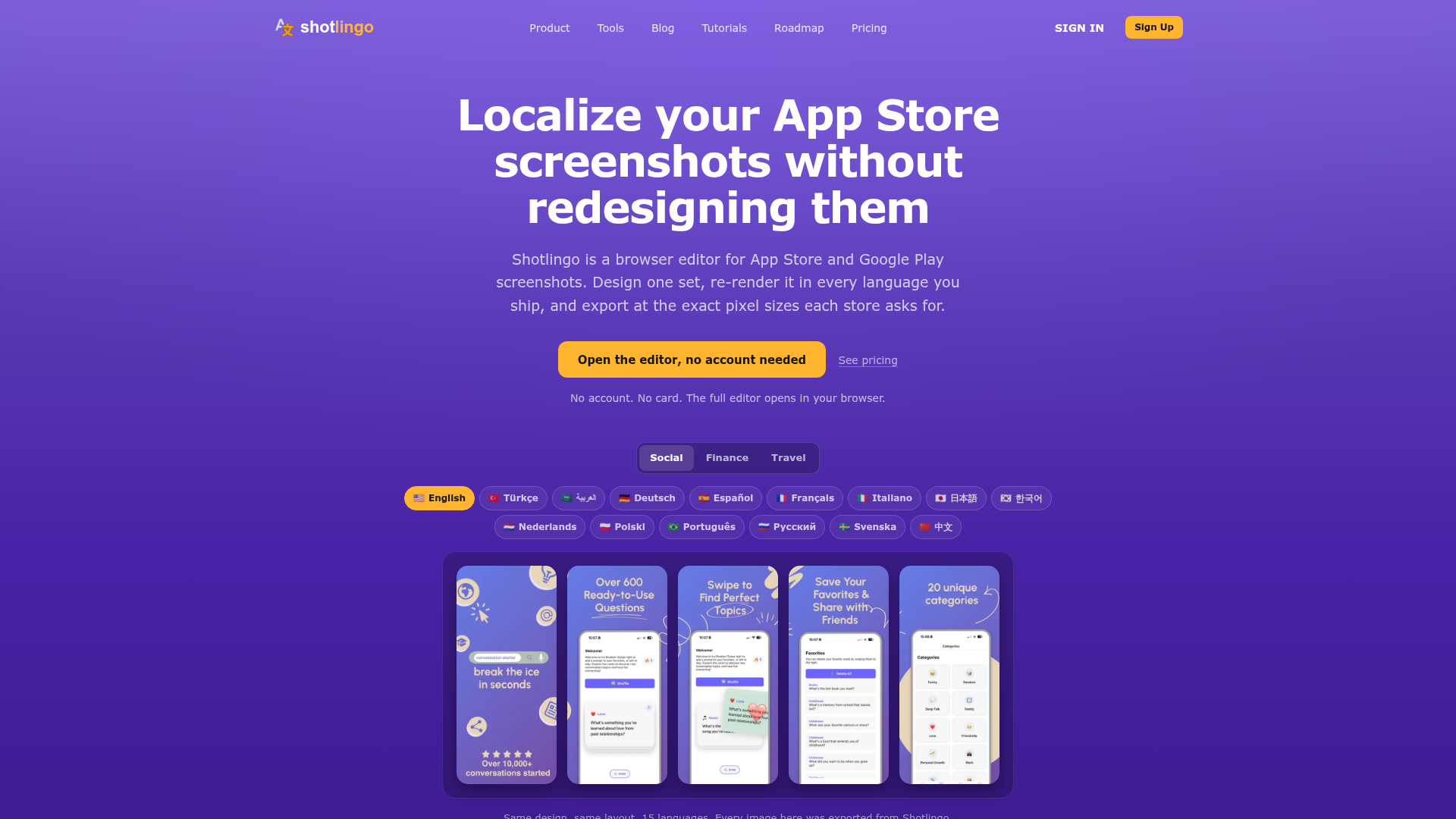
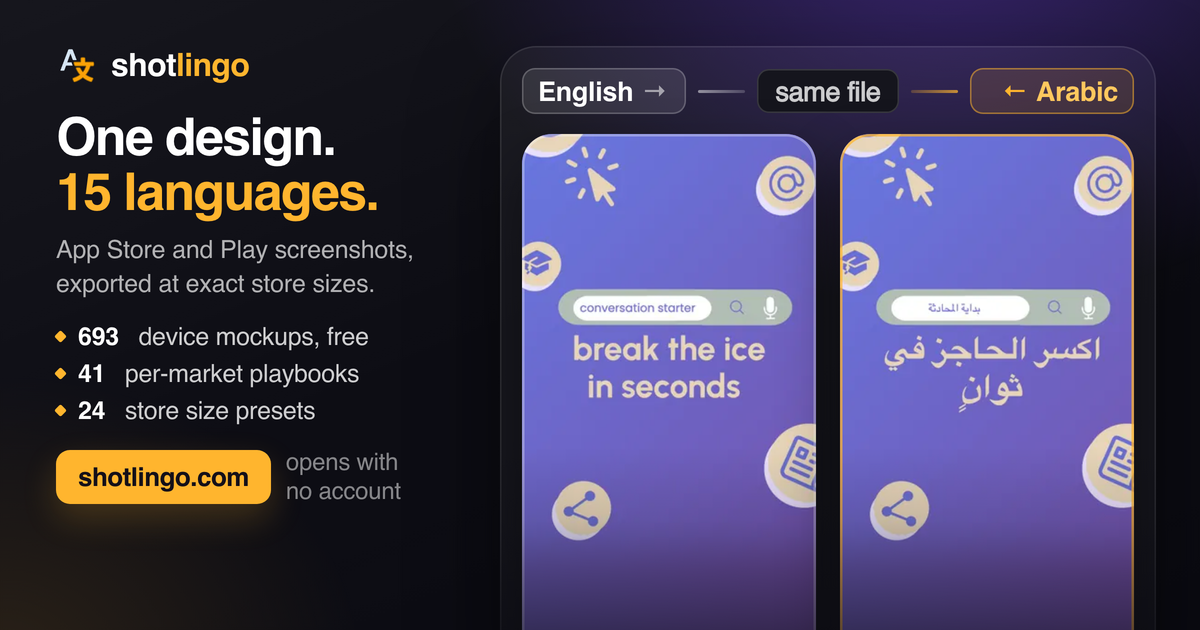
Shotlingo, a browser-based editor for App Store and Google Play screenshots, is built to attack this exact arithmetic. The pitch on its homepage is direct: design one set of screenshots, auto-translate them into 40+ languages, and batch export at the exact pixel sizes each store requires. The editor opens without an account or credit card, and the site shows off the results with a grid of screenshots for a social app, a finance app, and a travel app, each rendered in fifteen languages from English to 中文. The message is clear: same design, same layout, fifteen languages — every image exported from Shotlingo.
The problem Shotlingo solves is not new, but it has been quietly expensive. Most indie developers and small teams either design screenshots in Figma or Photoshop and then manually recreate them for each language, or they hire a designer to do the localization. Both paths are slow and error-prone. Shotlingo's bet is that by combining a visual editor with AI translation and batch export, it can turn a design chore into a translation workflow.
The 300-file problem behind every international release
The homepage lays out the math explicitly, and it is worth walking through because it defines the product's entire value proposition. The site assumes five screenshots per size class, which is typical for a published listing. App Store Connect now requires the iPhone 6.9-inch size for new submissions, and iPad 13-inch follows if the app supports iPad — that is two size classes. Google Play requires phone, and tablet sets follow if you ship them — three size classes. Multiply five screenshots by five size classes by twelve languages, and you get 300 image files per release.
That number is the easy half, the site notes. The hard half is that every file has text baked into the image, so the layout has to be re-typeset per language. The same headline can expand by 35% in German, or grow even more in Polish, breaking the design. This is the core pain Shotlingo addresses: not just generating files, but keeping the layout intact when the text changes length.
Why screenshot localization breaks the design pipeline
Screenshot localization is a design problem disguised as a translation problem. When you translate a string in a UI, the text reflows automatically. When you translate a screenshot, the text is part of the image, so the entire composition can shift. A headline that fits in English may overflow in German, or leave awkward gaps in Japanese. Designers end up manually adjusting each language version, which is tedious and often deprioritized.
Shotlingo's approach is to make the template the unit of design. You create a screenshot layout once, with placeholders for text, and then the tool re-renders that template for each language. The site's examples show the same layout for a conversation starter app, an invoicing app, and a trip planner, each rendered in fifteen languages. The visual structure stays consistent, and the translated text fits because the tool presumably adjusts font sizes or text boxes to accommodate longer strings.
This is a significant departure from the typical workflow, where a designer might create a master file and then manually duplicate it for each locale. Shotlingo automates the duplication and the translation, but it still requires the user to design the initial template. The value is in the re-rendering, not in the design itself.
Templates as the bridge between design and translation
The site emphasizes community templates as a starting point. Users can begin with professional designs and customize them to match their brand, which lowers the barrier for non-designers. The editor is drag-and-drop, with no Figma or Photoshop needed. This positions Shotlingo not just as a localization tool, but as a full screenshot generator for teams that do not have a dedicated designer.
The template approach also solves a practical problem: consistency. When you localize screenshots manually, each language version can drift in style. Templates enforce a single visual identity across all locales, which is crucial for brand recognition. Shotlingo's examples show the same color scheme and layout across English, Turkish, Arabic, and Japanese, which builds trust in the tool's ability to maintain quality.
However, templates are only as good as their flexibility. The site does not disclose how much control users have over text length, font scaling, or layout adjustments per language. This is a potential limitation: if the template cannot adapt to extreme text expansion, the output may still require manual tweaks, reducing the time savings.
The AI translation tradeoff: speed vs. layout fidelity
Shotlingo uses AI-powered translation, which is both a strength and a risk. On the plus side, it automates the translation of every text element in the screenshot, from headlines to button labels, in 40+ languages. This is a massive time saver compared to sending strings to a human translator. The site's tagline says "auto-translate screenshots to 40+ languages with AI," and the hero images show the results for fifteen languages, implying the rest are equally supported.
But AI translation is not perfect. It can produce awkward phrasing, miss cultural nuances, or fail to fit the layout. The site does not mention any post-editing workflow, which could be a gap. For a screenshot that is meant to persuade users to download an app, a mistranslated headline could be worse than no localization at all. The tool's success depends on the quality of its translations and the ability of the template to accommodate them.
Shotlingo's pricing page, which the site does not detail in the provided content, likely offers a free tier with full editor access and a Pro plan from $9/month for batch export and AI translations. The free editor is a bold move: it lets users test the entire workflow before paying, which is a strong trust signal. The 30-day refund on paid plans further reduces the risk for early adopters.
Pricing, refunds, and the free editor as a wedge
The free editor is Shotlingo's primary customer acquisition tool. The homepage says "No account. No card. The full editor opens in your browser." This is a low-friction way to experience the product, and it aligns with the target audience of indie developers who are price-sensitive. The paid plan starts at $9 per month, which is competitive with other design tools, and the 30-day refund shows confidence in the product.
The math on the homepage is also a pricing argument. If a developer would otherwise pay a designer $50 per hour to localize screenshots, the $9 monthly fee is trivial. Shotlingo is selling time savings, and the 300-file calculation makes the value tangible. However, the site does not disclose how many users it has or any case studies, so the effectiveness of the tool in real-world scenarios is unproven.
What Shotlingo's name promises and what it must deliver
The name "Shotlingo" is a portmanteau of "shot" (as in screenshot) and "lingo" (as in language). It is memorable and descriptive, but it also sets a high bar: the tool must be about screenshots and languages, and it must do both well. The domain shotlingo.com is clean and easy to remember, which is a plus for a product aimed at developers who might type the URL directly.
The brand positioning is clear: it is a screenshot tool that speaks your language. The tagline "Create & localize App Store screenshots for 40+ languages" reinforces this. However, the name could also be limiting if the product expands beyond screenshots to other app store assets like preview videos or icons. For now, it fits the niche.
Shotlingo's biggest risk is execution. The idea is sound, but the market is crowded with screenshot generators and localization tools. The differentiator is the combination of design, translation, and export in one workflow. If the AI translation quality is high and the templates are flexible, Shotlingo could become a staple for indie developers. If not, it will be another tool that promises automation but delivers manual work.
The site does not disclose funding, team, or launch date, so its traction is unknown. But the product's focus on a specific pain point and its free editor suggest a developer-centric approach that could gain organic traction through app store communities. For now, Shotlingo is worth watching for any developer who has ever faced the 300-file problem.