Snapester
Capture, style, and export polished screenshots in seconds — no design skills needed.
NewName Editorial
Editorial Team


Most screenshot tools treat the capture as the end of the story. Snapester treats it as the beginning. The pitch is simple: grab a tab, region, or clipboard paste, then send it to a web editor where the real work happens — padding, rounded corners, curated backgrounds, and even GIF or MP4 exports. It's a two-step pipeline that acknowledges a truth many tools ignore: a raw screenshot is rarely shareable. The polish is the product.
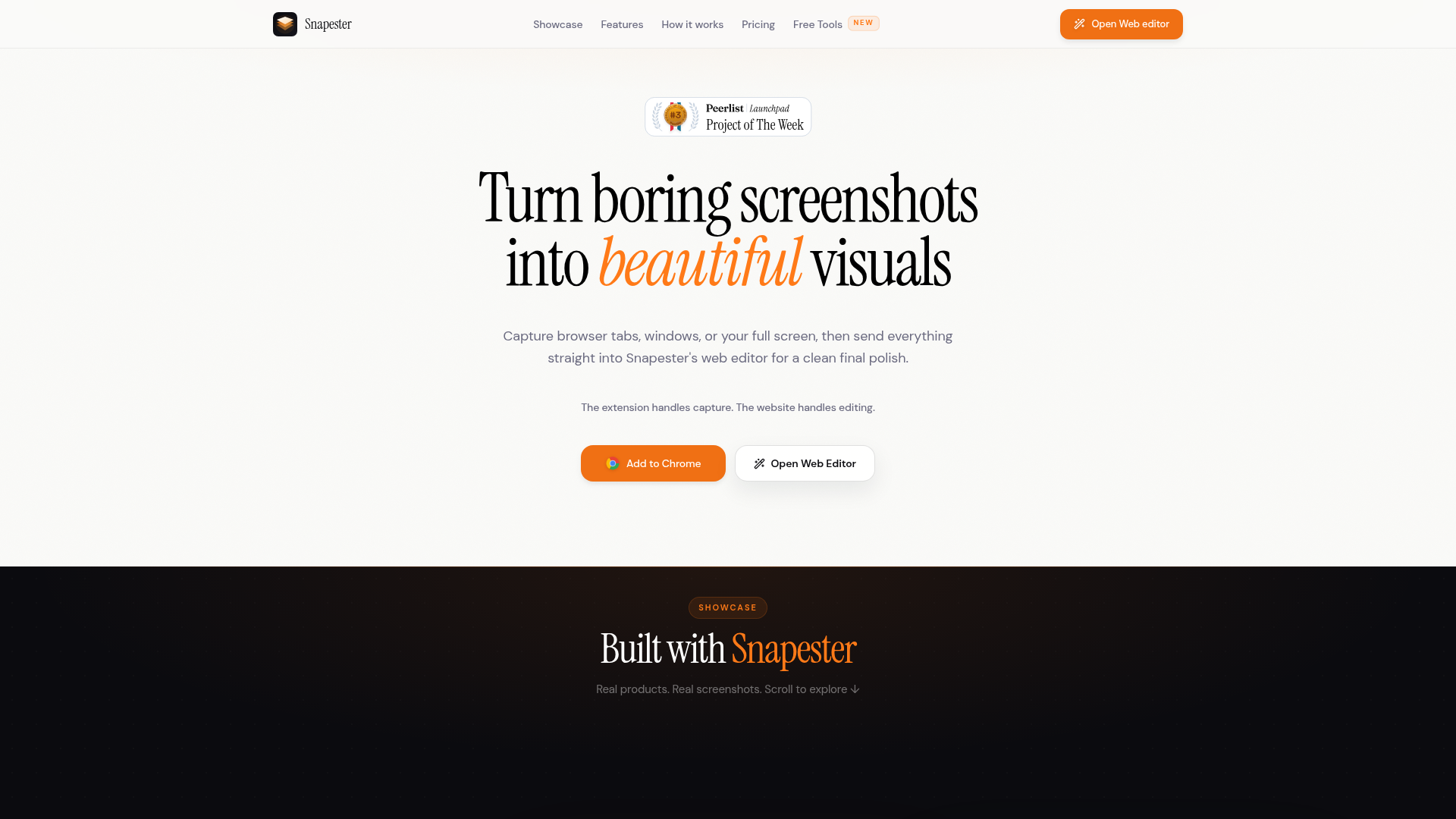
Snapester's architecture is deliberately split. The Chrome extension handles the capture — full tab, region, clipboard, or upload — and the website handles the editing. This is a meaningful design choice. It keeps the extension light and focused, while the editor can be a richer, more capable surface. The website's feature tour makes this explicit: "The extension handles capture. The website handles editing." It's a division of labor that feels obvious once you see it, yet most screenshot tools either cram everything into the extension or force you into a separate desktop app.
The capture-to-editor split that most screenshot tools skip
The split is more than a technical detail; it's a workflow philosophy. Capture tools like the native macOS or Windows screenshot utilities are fast but offer no styling. Full-featured editors like Figma or Photoshop are powerful but require setup and design skills. Snapester sits in the middle: a one-click capture that lands directly in a lightweight editor. The extension supports full tab, region, clipboard paste, and upload, so it covers the common ways people grab screenshots. The editor then offers padding, corner radius, shadows, and a layer system with text, arrows, shapes, blur, and emoji. This is not a feature list for designers; it's a toolkit for anyone who needs to make a screenshot look intentional.
Backgrounds as the real differentiator
The most distinctive part of Snapester is its background catalog. The site mentions "still wallpapers, magic gradients, and curated solids," plus mesh, texture, and the ability to upload your own image. This is not a niche feature; it's the core of the visual transformation. A screenshot on a plain white background looks like a file attachment. The same screenshot on a gradient or a subtle wallpaper looks like a product shot. Snapester's showcase — featuring real products like Flip Clock, Plant Identifier, and Analytics Hub — demonstrates this effect. The backgrounds are the bridge between "I took a screenshot" and "I made a visual." For early-stage founders and indie hackers who need to post on X or LinkedIn, this is the difference between a post that gets scrolled past and one that gets a reply.
The background choice also creates a subtle brand signal. Snapester's own marketing uses these backgrounds heavily, so the product is its own best advertisement. The wall of fame on the site is filled with screenshots of the product in use, each one styled with Snapester's own tools. This is a smart go-to-market loop: the product's output is the marketing material.
Motion exports: GIF and MP4 as a quiet superpower
Most screenshot tools stop at static images. Snapester goes further with animated GIF and MP4 exports, up to 2K resolution. This is a significant differentiator, especially for social media where motion captures attention. A GIF of a product interaction or a subtle zoom on a screenshot can convey more than a static image. The site notes that GIF and MP4 exports work when you use a motion background, which ties the feature back to the background catalog. This is not an afterthought; it's a deliberate feature that makes Snapester useful for demo videos and product teasers. For a tool that positions itself as "screenshots into beautiful visuals," motion is a natural extension — and one that competitors like CleanShot or Shottr don't emphasize as heavily.
The naming bet: Snapester says 'snap' isn't enough
The name "Snapester" is a portmanteau of "snap" and "ester," evoking both the quick capture and a sense of polish or mastery. It's a clever name that signals the product's ambition: not just to snap, but to make the snap presentable. The domain snapester.com is clean and memorable, and the brand feels modern without being generic. The name also hints at the social sharing angle — "snap" is associated with quick, casual sharing (think Snapchat), and "ester" adds a suffix that feels like a tool or a person (like "monster" or "hipster"). This is a strong naming choice for a tool that wants to be the default for making screenshots look good.
However, the name also carries a risk. It's playful, but it might not immediately communicate "screenshot editor" to a new user. The tagline "Turn boring screenshots into clean, beautiful visuals" does the heavy lifting of positioning. The name alone wouldn't tell you what the product does, but the tagline and the website's hero section make it clear within seconds. This is a tradeoff many consumer tools make: a distinctive name that requires a tagline to explain. For Snapester, the payoff is memorability — "Snapester" is more likely to stick in your head than "Screenshot Beautifier."
Who actually reaches for Snapester
Snapester's wall of fame and showcase suggest a specific audience: indie hackers, founders, and marketers who need to share product screenshots on social media. The testimonials are full of phrases like "clean demo screenshots," "must for socials," and "makes screenshots look more polished." This is not a tool for designers — they have Figma and Sketch. It's for the developer who needs to tweet a screenshot of their new feature, the founder who wants to post a product update on LinkedIn, or the marketer who needs a quick visual for a blog post. The free plan, which requires no account, lowers the barrier to entry. The Pro plan, which the site mentions unlocks higher-resolution exports, more formats, and no watermark, is a natural upgrade path for power users.
What's missing and what's next
Snapester is still early. The site doesn't disclose pricing details, team size, or funding, so it's hard to assess its long-term viability. The product is a Chrome extension plus a web editor, which is a smart combination, but it's also a crowded space. Tools like CleanShot X, Shottr, and even native OS tools offer screenshot capture with annotation. Snapester's differentiation is the background catalog and motion exports, but those are features that competitors could copy. The real moat would be a community of users who share Snapester-styled screenshots, creating a recognizable aesthetic. The showcase and wall of fame are early steps in that direction.
Another open question is the editor's depth. The site mentions layers, text, shapes, and blur, but it's unclear how robust these tools are compared to a dedicated editor. For most users, the current feature set is probably sufficient, but power users might hit limits. The pricing page is also not visible in the provided materials, so it's unclear what the Pro plan costs and what exactly it unlocks beyond what the free plan offers. These are gaps that the product will need to address as it grows.
Despite these uncertainties, Snapester has found a clear niche: making screenshots presentable without a design tool. Its split architecture, background catalog, and motion exports are concrete differentiators. The name and branding are strong, and the product's own output serves as its best marketing. For anyone who regularly shares screenshots on social media, Snapester is worth a try — and it might just become the default way to make a screenshot look like it was designed, not just captured.