Write.md
A Markdown editor for macOS that lets you shape the space around your words, not just the syntax.
NewName Editorial
Editorial Team
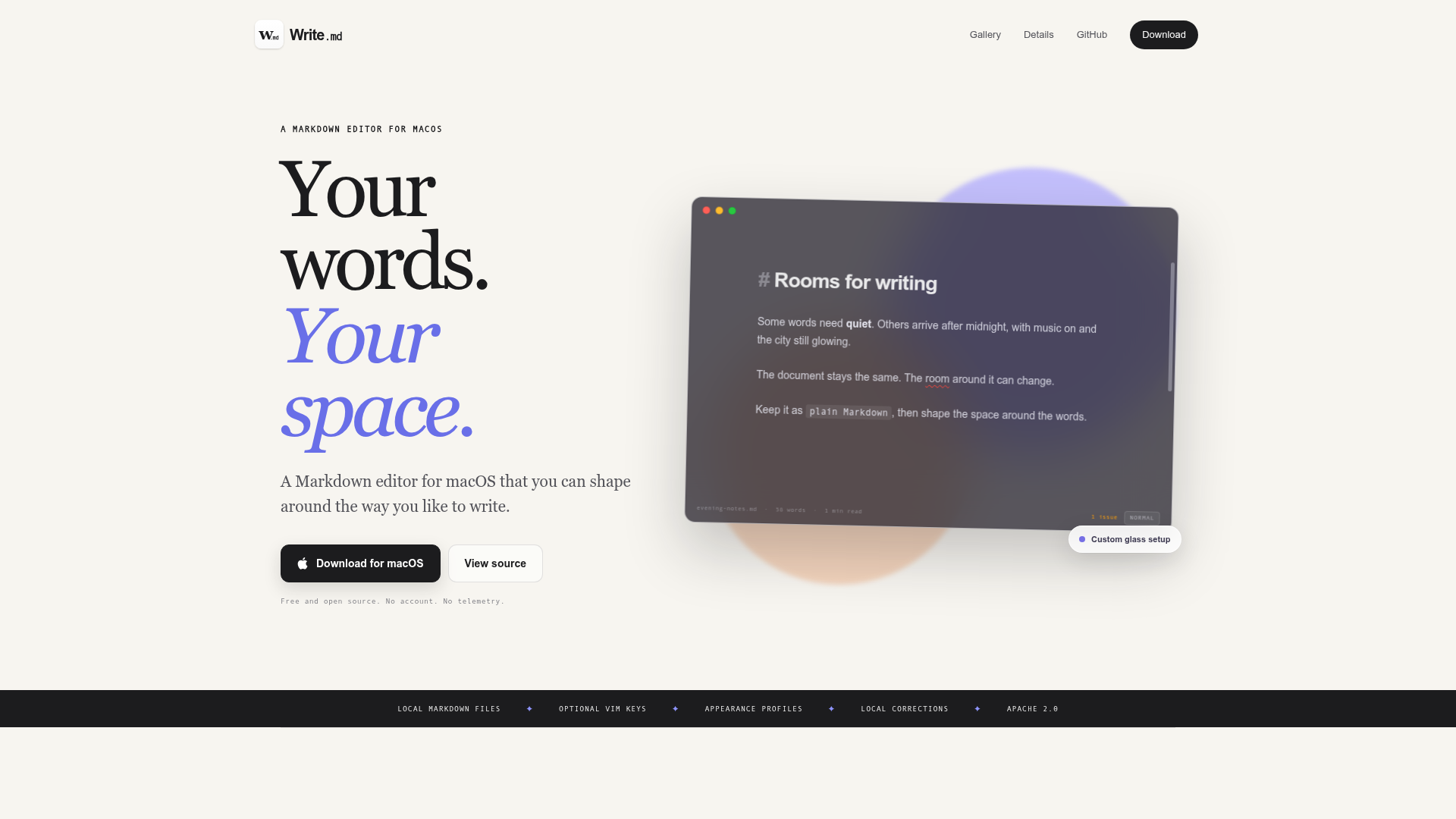
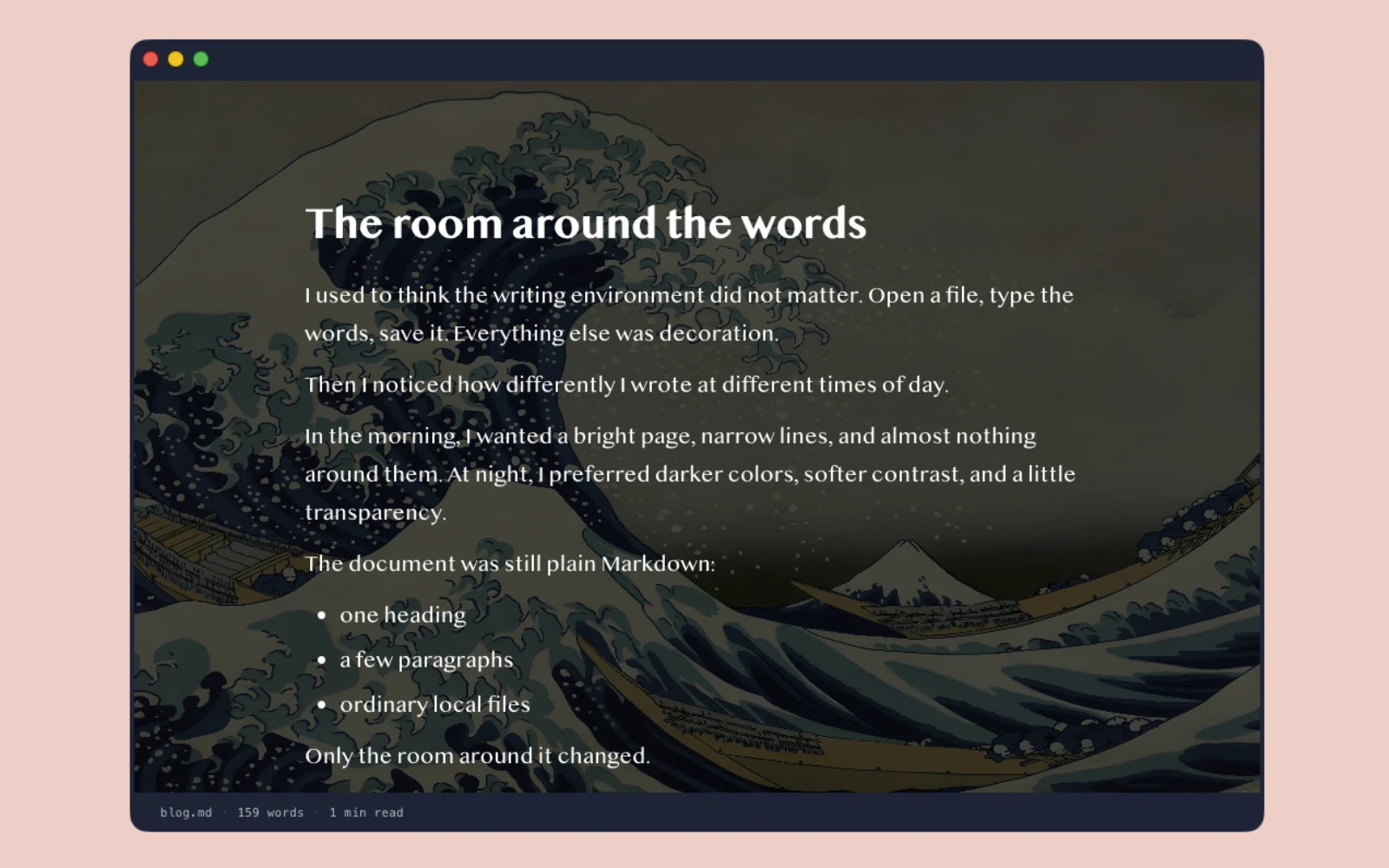
Write.md enters a crowded field of Markdown editors with a thesis that feels almost contrarian: the syntax is settled, but the space in which you write is not. Where most editors compete on feature checklists or distraction-free modes, Write.md sells something more elusive—a room you can tune to match the moment. The tagline, "Your words. Your space," is not marketing fluff; it's the product's entire architecture. This is an editor that treats the canvas behind your text as a first-class citizen, and it does so with a local-first, no-account philosophy that feels increasingly rare.
The Writing Room, Not Just an Editor
The website opens with a metaphor that sticks: "Some words need quiet. Others arrive after midnight, with music on and the city still glowing." This is not the language of a typical developer tool. Write.md positions itself as a place for writing, not just a tool for editing. The document stays the same, but the room around it can change. This is a subtle but significant shift in focus. Most editors let you change the theme; Write.md lets you change the atmosphere. The copy speaks to a writer's psychology, acknowledging that focus is not a constant state but something that shifts with time and mood. The editor is designed to adapt to those shifts, offering what it calls "appearance profiles"—saved configurations of the entire writing surface.
Appearance as a Feature, Not a Skin
Write.md's core innovation is treating appearance as a functional feature, not a cosmetic afterthought. The site details four controls: type, size, line height, and page width; color, opacity, glass, and window borders; image and video backgrounds; and reusable profiles for every mood. This goes beyond light and dark modes. You can set a translucent glass effect, choose a background image, and adjust the canvas until it feels right. The screenshots show "rice"—a term from the Linux customization community—where users have created distinct environments: a late-night draft with dark, transparent surfaces, another with a warm, textured backdrop. Write.md does not ship a catalog of premade themes; it provides the tools to build your own, then save them as profiles. This is a deliberate choice that empowers users to craft a writing environment that is uniquely theirs.
The Local-First Counterpoint
In an era of cloud-synced, account-required writing apps, Write.md is a deliberate counterpoint. The site is explicit: "Your Markdown stays a file, not an account." It works with ordinary files on your Mac, with zero accounts, zero analytics trackers, and 100% open source under the Apache 2.0 license. This is a strong stance, and it resonates with a segment of users who are wary of vendor lock-in and data mining. The editor also offers optional local corrections—basic US English spelling and style suggestions that run on-device, with no AI service and no account. This is a nod to privacy without sacrificing utility. The local-first approach is not just a feature; it's a philosophy that shapes the entire product, from the absence of telemetry to the open-source codebase.
Vim and Corrections: Optional, Not Imposed
Write.md's feature set is notably restrained. It offers Vim mode for those who want modal editing without opening an IDE, and it's optional—"turn it off and it disappears." Similarly, local corrections are a gentle nudge, not an intrusive AI assistant. This restraint is a differentiator. Many editors try to be everything to everyone, bundling a dozen features that clutter the interface. Write.md instead focuses on the writing experience, adding tools only when they don't impose a workflow. This aligns with the product's ethos: the user is in control, and the editor adapts to their preferences, not the other way around.
Naming: The Domain as a Promise
The name "Write.md" is a clever piece of branding. It combines the verb "write" with the Markdown file extension, instantly communicating the product's purpose and format. The domain, writemd.app, is clean and memorable, reinforcing the name. This is a name that works on multiple levels: it's descriptive, it's easy to remember, and it signals a focus on writing. The naming also carries a subtle promise—that this is a tool for writers, not just developers. The tagline, "Your words. Your space," reinforces this by emphasizing the personal, customizable nature of the product. The name and tagline together create a cohesive brand identity that sets Write.md apart from generic editors like "Markdown Editor Pro."
Who Should Care and What's Missing
Write.md is for writers who care about their environment—those who find that the right ambiance can unlock creativity. It's for developers who appreciate a local-first, open-source tool that respects their privacy. It's for anyone who has ever spent an hour tweaking a theme and felt a sense of ownership over their digital workspace. However, the product is currently macOS-only and available only for Apple silicon, which limits its reach. There's no mention of Windows or Linux support, and the feature set is intentionally minimal, which may not appeal to users who need advanced features like footnotes, tables, or collaborative editing. The website also doesn't disclose the development roadmap or community size, so it's unclear how active the project is beyond the initial release. These are open questions, but for the right user, Write.md offers a unique proposition: a writing space that is truly yours, with no strings attached.