PasteScreenshot Sells Local Capture, Not Cloud Photo Libraries
PasteScreenshot.com: paste or drop screenshots in the browser, store in IndexedDB with tags and filters—no account, no upload. A focused utility vs Snagit, Lightshot, and OS defaults.
NewName Editorial
Editorial Team
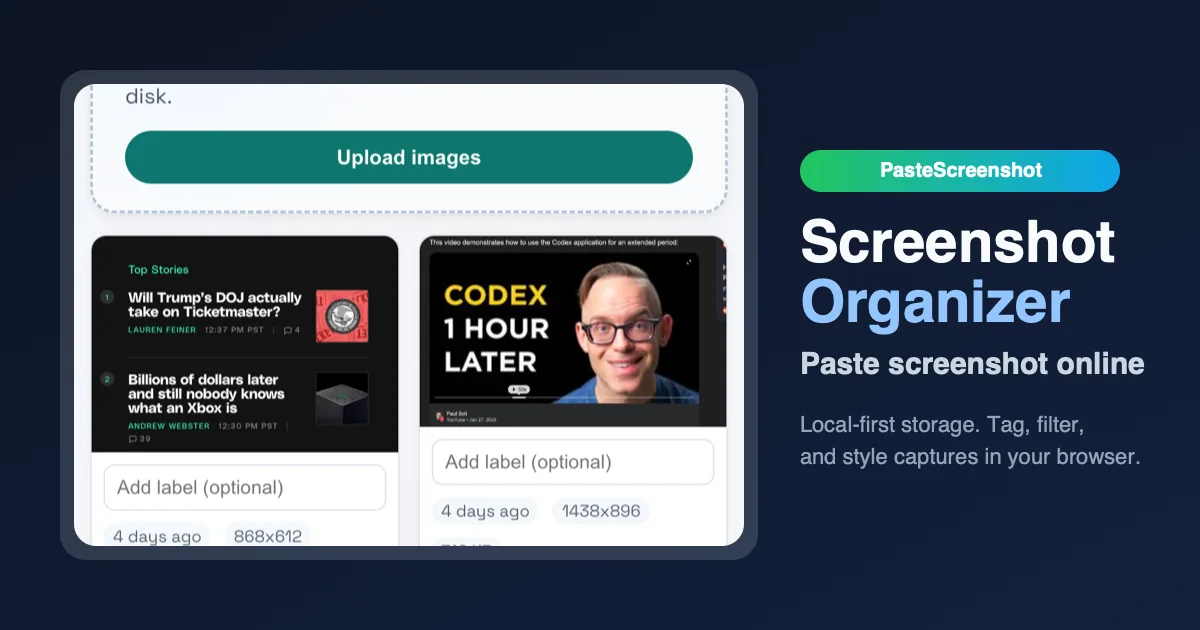
Screenshots accumulate as Screenshot 2026-07-28 at 9.15.03.png on your desktop until you give up searching. Cloud tools organize them—but require accounts, uploads, and trust. PasteScreenshot is a browser-based organizer: paste (Cmd/Ctrl+V), drag-drop, or upload files; store locally; tag, filter, and quick-edit—no server. Judge it on whether it becomes your session scratchpad for dev/design work—not on AI domain naming pillars.
Product philosophy: one job, zero backend
Site meta (July 2026): "Paste screenshot online, store images locally, and organize every capture with tags, filters, and quick editing."
Core workflow:
- Capture with OS shortcuts (macOS/Windows built-ins).
- Paste into PasteScreenshot—gallery view appears instantly.
- Organize with tags and filters (evolution from earlier flat-only versions).
- Download or delete—data stays in IndexedDB in your browser profile.
Architectural bet: local-first eliminates auth, GDPR processor agreements, and hosting bills. Trade-off: no cross-device sync—clear browser data and screenshots vanish; incognito = ephemeral.
Listed on directories like Uneed (~86 upvotes historically)—organic discovery, no visible funding or team page. Side-project economics: static hosting + domain ≈ sole cost.
Business model: free utility, unclear monetization
No pricing page, no Pro tier marketed on homepage. Plausible futures:
- Optional cloud sync subscription (breaks pure privacy story).
- Browser extension auto-capture on screenshot (reduces paste friction).
- Donations / "buy me a coffee."
- Enterprise unlikely without SSO—wrong shape.
Revenue today appears $0 intentional—growth = utility and SEO for "paste screenshot online."
Competitors: power tools vs minimal privacy wedge
| PasteScreenshot | Snagit | Lightshot | OS + Finder | Notion/Evernote paste | |
|---|---|---|---|---|---|
| Core bet | Local browser gallery + tags | Annotate + record + library | Quick share + cloud thumb | Save to disk chaos | Notes embed |
| Privacy | Default local | Local app, paid | Cloud thumbnails | Local | Cloud notes |
| Editing | Quick edits | Rich | Basic annotate | None | None |
| Price | Free | ~$63 license | Free/ad | Free | Subscription |
| Sweet spot | Privacy devs needing scratchpad | Power users | Social share | Everyone | Project docs |
Choose PasteScreenshot when you want paste-speed organization without another account—accept single-browser custody.
Choose Snagit when annotations, video, and support workflows matter.
Choose Shottr (macOS) when native menubar + OCR justifies paid local app.
IndexedDB architecture and session workflows
PasteScreenshot stores blobs in IndexedDB—asynchronous, transactional, per-origin. Practical limits: browser quota prompts on large libraries; private browsing may refuse persistence. For design QA sprints, the intended workflow is paste → tag ("checkout-bug", "nav-v2") → filter → bulk download at sprint end—replacing Desktop/Downloads archaeology. Quick-edit covers crop/markup light enough for Slack posts, not Figma replacement.
Compared to Obsidian local-first knowledge bases, PasteScreenshot refuses scope creep—no backlinks, no plugins—which keeps zero-backend viable. Compared to macOS Screenshots folder + Spotlight, it adds organization without Apple’s new AI search dependency. Uneed listing (~86 upvotes) signals designer/developer discovery, not enterprise procurement.
Who pays vs who doesn't
Developers pasting UI regression screenshots during code review—primary audience. Support agents might use cloud tools with CRM integration instead. Researchers with sensitive screenshots benefit from local-only but may need OCR search PasteScreenshot doesn't emphasize. Monetization gap: without Pro tier, project relies on goodwill or future sync upsell—document current state honestly for buyers.
Browser extension auto-capture on OS screenshot hotkey would 10× engagement—manual paste is friction. PWA offline mode could improve laptop workflow vs tab accidentally closed. Compare CleanShot X (macOS paid) for annotation richness—PasteScreenshot wins free + web + privacy, loses markup depth.
SEO acquisition and the "paste screenshot online" wedge
PasteScreenshot's discoverability rides long-tail queries—"paste screenshot online," "organize screenshots without account," "local screenshot gallery browser." Static hosting keeps CAC near zero; conversion is immediate utility (paste works on first visit) rather than signup funnels. That aligns with side-project economics but limits expansion revenue unless sync or extension SKUs appear.
For QA contractors billing hourly, a session scratchpad that tags regressions by ticket ID (JIRA-442-nav) beats scrolling Desktop folders during client calls. The quick-edit layer targets Slack-ready crops—not Figma replacement—keeping scope honest. Without OCR search, power users still export to Raycast or Alfred for text-in-image needs; PasteScreenshot wins speed + privacy, not intelligence.
Arc / Dia browser vendors could embed similar IndexedDB galleries—moat is execution speed and SEO head start, not patents. A future Pro tier might sell encrypted export bundles or team tag schemas without cloud storage—preserving local-first positioning while capturing agencies that need shared taxonomy, not shared servers.
China context
PasteScreenshot runs entirely client-side—works in Chrome/Edge on mainland without special API keys. No 微信/钉钉 export—manual download only. For teams under PIPL, local-only processing is a plus (no processor), but also no audit trail across devices. Chinese designers often use 飞书/语雀 embeds instead; PasteScreenshot fits individual devs pasting UI bugs during a sprint, not company-wide asset DAM.
Comparison with team DAM and design handoff tools
Figma comments and Linear attachments embed screenshots in workflow systems—better for cross-team traceability, worse for zero-login paste speed. PasteScreenshot sits between OS defaults and enterprise DAM: no SSO, no version history, no approval chains. That positioning is intentional for individual contributors during a two-hour debug session.
ShareX (Windows) and Flameshot (Linux) offer richer capture but require install and config. PasteScreenshot's browser-only approach wins corporate laptops where IT blocks native installers—open Chrome, paste, tag, done. The trade-off is no global hotkey unless a future extension ships.
Long-term monetization without breaking privacy might look like one-time Pro for bulk export formats (PDF contact sheets, ZIP with manifest JSON)—still client-side, still no account.
Privacy compliance without a processor
Because PasteScreenshot never uploads images, GDPR Article 28 processor agreements are irrelevant—you are controller and processor on your own device. That simplifies legal review for healthcare and legal screenshots compared to Lightshot cloud thumbnails. PIPL teams still lack cross-device audit trails—local-only is feature and limitation.
Marketing via Uneed and SEO targets indie developers without sales team—CAC near zero, LTV zero today. A sustainable path requires either extension SKU (auto-capture) or sync subscription that some privacy users will reject—founder's dilemma between growth and positioning.
Verify before you rely on it
-
Browser lock-in. Pick one profile for work screenshots.
-
Backup habit. Export important captures—IndexedDB is not archival storage.
-
Tag discipline. Without folders, tags become the taxonomy—define early.
-
Size limits. Hundreds of full-retina PNGs may slow IndexedDB—purge weekly.
-
Extension gap. No auto-capture yet—you still paste manually.
PasteScreenshot competes as anti-cloud minimalism: paste, tag, filter, leave. Not a moat—OS vendors or Arc browser could ship similar. Win by staying fastest for privacy-conscious capture during one work session; lose if you need sync, rich markup, or team libraries.