Impact-Site-Verification: 41b53a0c-6d04-458b-a457-fe9e29acde1a

SaaS & Productivity··5 min read

Scribble Party

A local-first whiteboard studio that records lessons without uploading a single frame.

NN

NewName Editorial

Editorial Team

Scribble Party product image 1

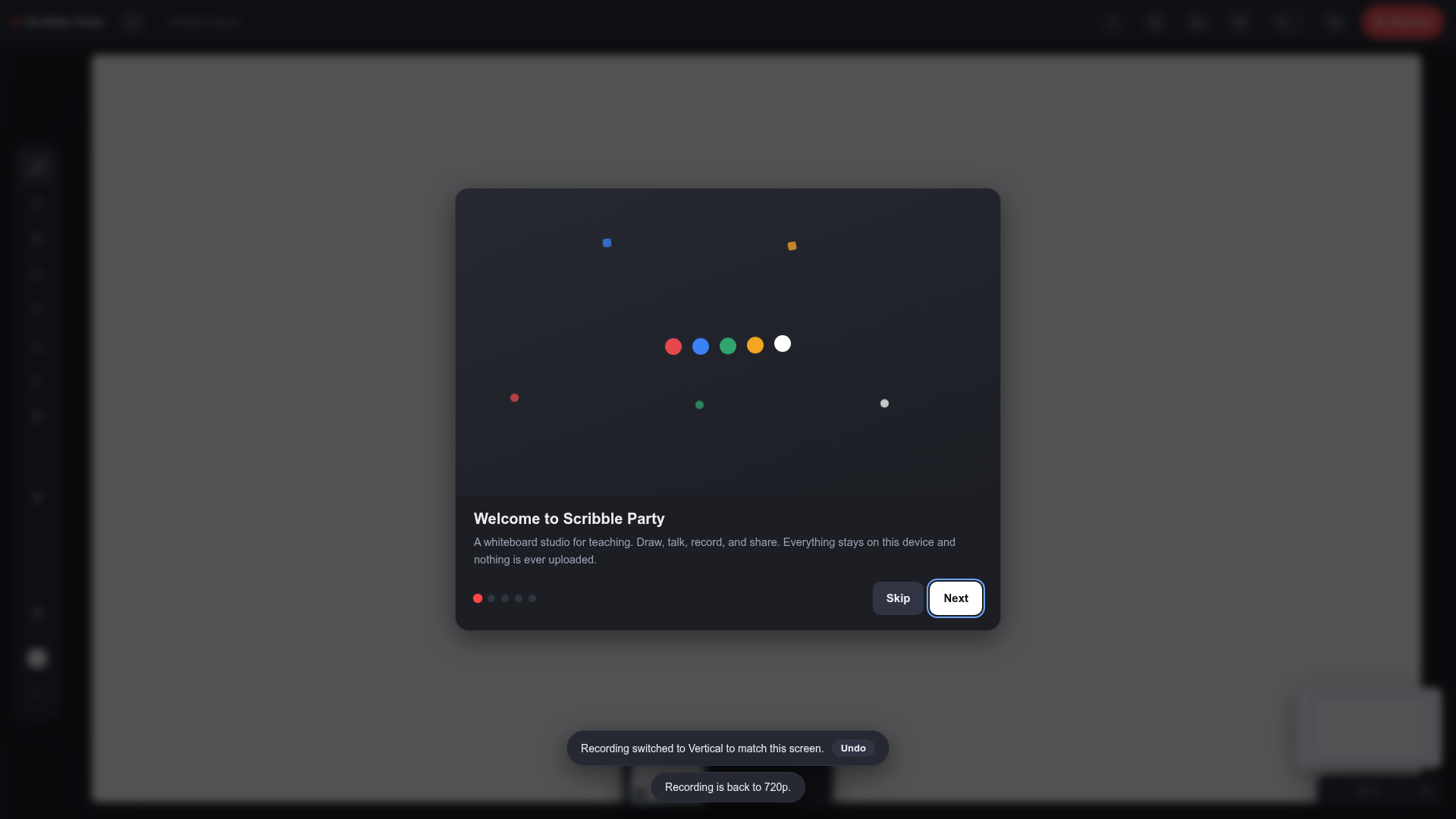
Most lesson-recording tools are built on a silent assumption: that your video belongs in someone else's data center. You sign up, you upload, you hope the export finishes before the WiFi drops. Scribble Party starts from the opposite premise — that the recording is yours, on your device, from the first frame to the last. It's a whiteboard studio that runs entirely in the browser, draws on an infinite canvas, drops a live camera bubble of the presenter (background cut out automatically), and records the whole thing with voice. But the headline isn't the drawing or the bubble. It's the promise that "nothing is ever uploaded."

That promise is also the product's sharpest tradeoff. By refusing the cloud, Scribble Party gives up the conveniences that make most recording tools sticky: no auto-sync, no collaborative editing, no access from another device. In exchange, it offers something rarer for educators: a recording that survives a crashed tab, works on a plane, and never becomes a privacy liability. For a teacher recording a lesson at 11 p.m. on a school-issued laptop, that tradeoff might be exactly right.

The lesson recorder that refuses the cloud

The category of "digital whiteboards" is crowded with tools that treat the canvas as a shared surface. Miro, FigJam, and even Google Jamboard assume a team, a network, and a session. Scribble Party is aimed at a different moment: a single person, a pen, a voice, and an audience that isn't in the room. The Product Hunt listing describes it as "a local-first whiteboard studio for teachers and creators," and the emphasis on "local-first" is not a technical footnote — it's the entire value proposition.

Where most lesson recorders send video to a cloud and require an account first, Scribble Party's site is blunt: "No signup, no install, nothing ever uploaded!" That sentence is the product. It means the tool is usable the moment the page loads, with no email verification, no password reset, no terms-of-service scroll. For a teacher who has 15 minutes between classes and a half-broken school Chromebook, that frictionless start is the difference between recording a lesson and not recording it.

Why the camera bubble matters more than the canvas

The infinite canvas is table stakes — every whiteboard has one. What distinguishes Scribble Party is the live camera bubble: a circular video of the presenter that sits on the board, with the background automatically removed. This is not a cosmetic flourish. For a lesson recording, the presenter's face is a pedagogical tool. It tells the student who is speaking, where to look, and that a human is on the other side of the screen.

Most recording tools force a choice: either a full-screen video of the presenter (which hides the board) or a tiny thumbnail in the corner (which hides the face). The camera bubble splits the difference. It floats on the canvas, so the teacher can draw a diagram and point at it while their face remains visible, maintaining the connection that makes a recorded lesson feel less like a slideshow. The background removal is a small but meaningful touch — it keeps the focus on the board and the face, not on the clutter behind the teacher's desk.

The crash-proof take: recording as a local file

Here is the detail that should make every teacher who has lost a recording sit up: "Recordings save to your device as you go, so a crashed tab doesn't lose a take." This is the quiet killer feature. Cloud-based recorders buffer video in memory and upload it in chunks; if the tab crashes, you lose the last few minutes — or the whole take if the upload never completed. Scribble Party writes the recording to the device continuously, so even a browser crash leaves the file intact.

That's a feature born from a specific pain: the 20-minute lesson that vanishes because the WiFi hiccuped. It's also a philosophical statement. The tool treats the recording as a local artifact, not a cloud object. You are not renting storage; you are creating a file. This is the kind of design decision that doesn't show up in a feature comparison table, but it's the difference between a tool you trust with your teaching and one you use only when you have to.

Offline as a feature, not a fallback

Scribble Party "works offline as an installed app." That's a rare claim for a browser-based tool, and it's a direct consequence of the local-first architecture. Most web apps treat offline as a degraded mode — you can view cached pages, but you can't create. Scribble Party treats offline as a first-class state: install it, and it becomes a native-feeling app that doesn't need a connection to function.

For teachers, this is more than a convenience. School WiFi is notoriously unreliable, and classrooms in rural areas or developing regions may have no connectivity at all. A tool that works offline means a lesson can be recorded in a basement classroom, on a bus, or during a power outage (as long as the battery holds). It also means the recording is truly private — if it never touches a server, there is no chance of a breach, a leak, or a company changing its privacy policy later.

What Scribble Party leaves out on purpose

The site is refreshingly honest about what it doesn't include. There's no collaboration, no cloud sync, no shared canvas. The about page, blog, and pricing pages all return 404s — the product is a single-page experience with a clear focus. That's a deliberate minimalism, not a bug. By stripping away the features that would require an account or a server, Scribble Party keeps its core promise intact.

The tradeoff is real: you can't start a drawing on your laptop and finish it on your phone. You can't share a link and have a colleague comment in real time. But for the solo teacher recording a lesson, those are features they never asked for. What they asked for is a tool that doesn't lose their work and doesn't hold their video hostage. Scribble Party answers that ask with a browser tab and a pen.

In a category obsessed with connectivity, Scribble Party is a quiet argument for disconnection. It's not trying to be the most powerful whiteboard — it's trying to be the most reliable one. For a teacher who just wants to record a lesson and keep the file, that might be the most powerful thing of all.