PhotoQuill Sells GPU Speed, Not Cloud Subscriptions
A browser Photoshop alternative with a zero-server core editor and metered AI credits: how PhotoQuill uses WebGPU local processing, PSD parsing, and SEO landing pages to monetize FLUX generation without touching the free layer stack.
NewName Editorial
Editorial Team
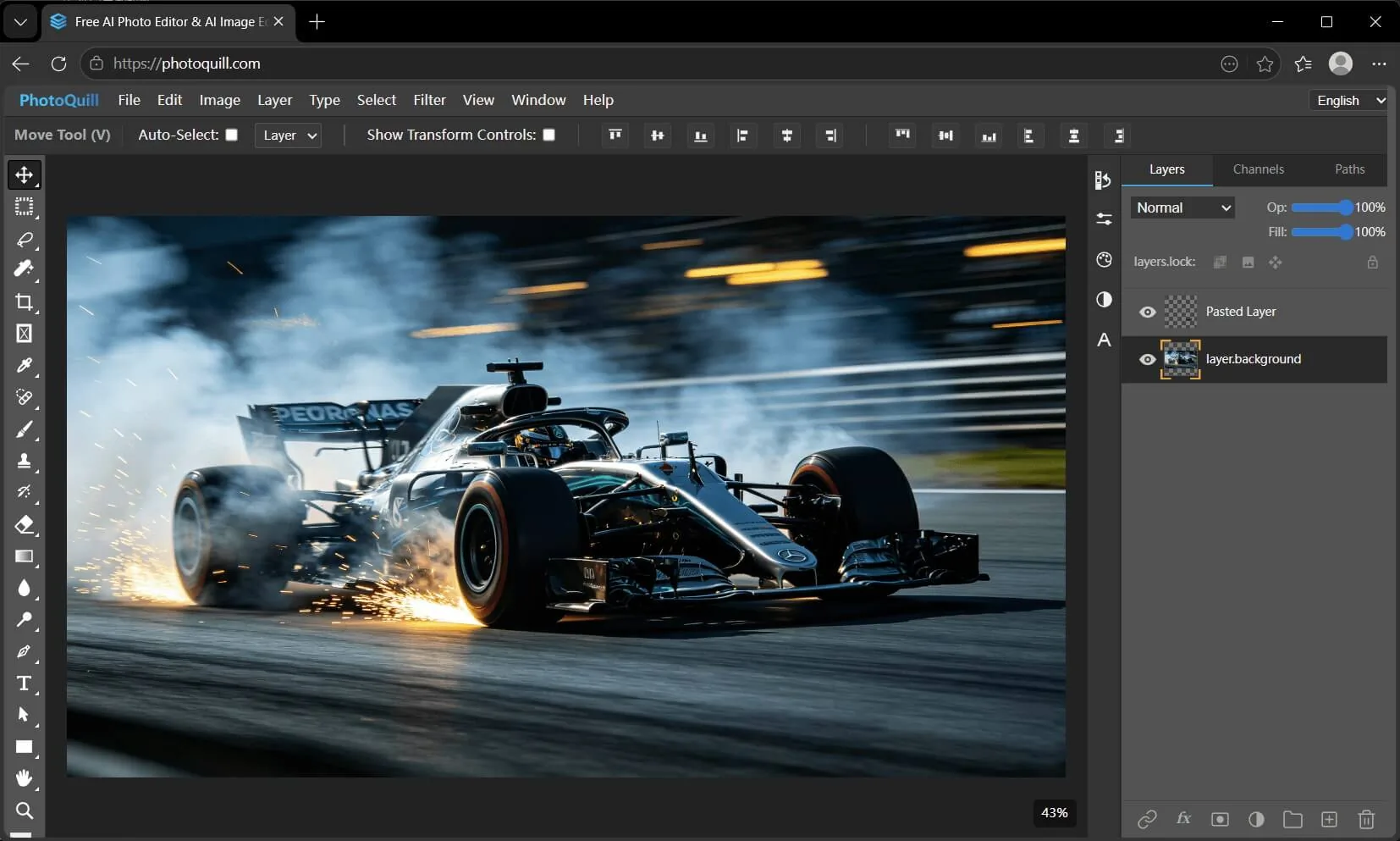
Most "free online Photoshop" tabs still upload your PSD to a remote GPU farm or choke on CPU-bound canvas math. PhotoQuill splits the business cleanly: the professional editor runs 100% on your device via WebGPU—layers, masks, blend modes, curves, PSD import/export—with no signup, no watermarks, and no file uploads. Revenue comes from optional AI image generation credits (FLUX, Z-Image, Nano Banana, Seedream) and format-converter SEO traffic that funnels users into the editor. Judge it on canvas latency with a 40-layer PSD, not on whether it replaces Adobe's entire ecosystem.
The wedge is local GPU editing, not another AI wrapper
PhotoQuill's creator spent 14 months building a WebGPU-native engine after Canvas 2D collapsed on large images (DEV Community post). The bet: privacy-sensitive designers, students, and indie game artists will accept a browser tab if it matches native brush latency and opens real .psd files with layer groups intact.
Core differentiators vs. typical web editors:
- WebGPU shaders for convolutions, blending, and filter previews—claimed 60fps canvas on large images where Photopea's CPU renderer stalls
- Client-side PSD parsing (heavily modified
ag-psd) preserving masks, vector text, groups, and blend modes - Zero server processing for standard edits—images never leave RAM/GPU memory
- Format converter landing pages (HEIC→JPG, WebP→PNG, PSD→PNG, AVIF→PNG, PNG→ICO) that share the same local WebAssembly pipeline
The product explicitly positions against Photopea (feature-complete but CPU-heavy, ad-supported) and Adobe Photoshop on the web (Creative Cloud subscription, server-assisted workflows). PhotoQuill's homepage FAQ states the split: "The core browser editor… is free… Optional AI image generation… runs on a credit system."
Business model: free editor, metered AI compute
PhotoQuill runs a classic freemium split—free utility with high marginal cost features behind credits.
| Tier | Price | What you get | What stays free |
|---|---|---|---|
| Anonymous / no account | $0 | Full editor: layers, brushes, filters, PSD, export | Everything except AI generation |
| Free account | $0 | 5 credits/day + 10 signup bonus; standard AI models | Same core editor |
| Lite | $8.90/mo | 2,000 credits/mo, all models, 1024×1024, commercial use | Core editor |
| Pro | $19.90/mo | 5,000 credits/mo, priority queue | Core editor |
| Premium | $34.90/mo | 10,000 credits/mo, higher resolution | Core editor |
| Annual | $249.90/yr | 11,000 credits/mo (~50% vs monthly) | Core editor |
| Credit pack | $9.90 one-time | 1,000 credits, never expires | Core editor |
Unit economics logic: The editor costs PhotoQuill roughly $0 in compute—static hosting on Cloudflare Pages, no image storage. AI generation hits external GPU APIs; credits align price with inference cost. The founder reported ~$50/month AI API spend user-funded, $12/year domain, $0 server for the editor itself.
Conversion funnel: SEO guides ("Photoshop online free no signup," "Photopea no ads," "Canva photo editor alternative") → format converters → editor → optional account for AI credits. Early metrics from the builder: 800+ users without paid ads, 15% day-1 retention, first paying customer within two weeks of launch, 4.6/5 on Product Hunt.
What does NOT require payment: Background removal and smart filters that run locally; healing, clone stamp, dodge/burn; typography with custom fonts and curved text; 4K/8K texture sheet editing for game dev workflows.
Product surface: who pays and who doesn't
Free forever (no account):
- Open/edit/export PSD, PNG, JPG, WebP, BMP, GIF, SVG, HDR, EXR
- Full layer stack: groups, masks, opacity, all standard blend modes
- Adjustment layers: Curves, Levels, Hue/Saturation, Color Balance
- Filters: blur, sharpen, noise reduction, stylization—all WebGPU-local
- Export with no watermarks, no ads on output files
Requires account + credits (server-side AI):
- Text-to-image and generative fill via FLUX, Z-Image, Nano Banana, Seedream
- Higher-volume or higher-resolution generation on paid tiers
Local AI (no credits, runs on device):
- AI background removal
- Smart adjustments processed via WebGPU, not remote inference
Target workflows:
- Designers: PSD mockups, social templates, logo comps without Adobe rent
- Photographers: Curves/Levels grading, non-destructive edits
- Game/3D artists: Texture atlases, alpha maps, UI PSD assets at 4K/8K
- Students: Layer-based learning without installation or subscription
Competitors: where PhotoQuill wins and where it doesn't
| PhotoQuill | Photopea | Adobe Photoshop (web) | Canva | Pixlr / Fotor | |
|---|---|---|---|---|---|
| Core job | Fast local GPU editor + optional AI gen | Full Photoshop clone in browser | Cloud-connected pro editing | Template design | Lightweight cloud edits |
| Processing | WebGPU local | CPU local | Hybrid cloud | Cloud | Cloud |
| PSD fidelity | Strong (masks, groups, blend modes) | Very strong (widest format support) | Strong (Adobe-native) | Weak | Partial |
| Price | Editor free; AI from $8.90/mo | Free with ads; premium tiers | ~$23/mo Creative Cloud | Freemium subscription | Freemium / ads |
| Privacy | No uploads for core edits | Local but ad-supported | Adobe cloud policies | Cloud storage default | Uploads typical |
| Sweet spot | Privacy + speed on large PSDs | Maximum feature parity | Existing CC subscribers | Marketing templates | Quick social edits |
Choose PhotoQuill when you need lag-free layer work on large PSDs, refuse cloud uploads, and may occasionally pay for AI generation—not when you need XCF/Sketch import, CMYK print prep, or Adobe ecosystem plugins.
Choose Photopea when format breadth and Photoshop UI familiarity matter more than WebGPU canvas speed.
Choose Adobe when team libraries, cloud sync, and industry-standard color management are non-negotiable.
China: local privacy vs WebGPU browser gaps
PhotoQuill's China story is not a localized product—it is mainland users hitting browser GPU limits and compliance instincts.
What works for Chinese users:
- No upload editing aligns with teams wary of sending client assets to US cloud editors—relevant for freelance designers handling unreleased product shots or internal marketing PSDs
- Free core editor fits student and indie game studios avoiding Adobe subscription cost in RMB
- HEIC→JPG / WebP converters solve iPhone-to-Windows friction common in cross-device workflows
- Runs in Chrome/Edge on desktop—usable on many Windows workstations without admin install rights
Friction points:
- WebGPU support remains uneven on Safari/iOS and some older GPUs—PhotoQuill shows a hard "WebGPU is not supported" gate; mobile/tablet editing is hardware-dependent
- AI generation credits route through authenticated accounts and external inference—may trigger 数据出境 review for enterprise PSDs even though core editing stays local
- No Simplified Chinese UI or domestic CDN documented—discovery relies on English SEO and guide pages
- WeChat/国内支付 not listed; subscriptions process through standard international payment rails
Practical split: Use PhotoQuill for local PSD edits on a WebGPU-capable Chrome desktop; use domestic tools (稿定设计、创客贴、Photopea 镜像) for template-heavy social workflows or when Safari/iOS is the primary device.
Name and domain (briefly)
- PhotoQuill = photo + quill—a writing instrument for visual craft; warm vs. cold tech names like Pixlr
photoquill.comexact-match .com for a permanent utility brand, not a.aifad TLD- Business fact buyers care about: free layers vs. credit-priced generation, not portmanteau etymology
Try-before-you-trust: a five-minute editor drill
- Open a real production PSD (20+ layers, masks, text)—confirm groups and blend modes survive import
- Scroll blend modes with arrow keys—measure whether canvas updates feel instant vs. Photopea on the same file
- Export PNG/JPG—verify no watermark and no forced signup
- Check WebGPU in
chrome://gpubefore recommending to a team—Safari-only Mac users may hit the unsupported wall - If you need AI gen, create a free account, burn daily credits on one 1024×1024 test, then compare Lite ($8.90) cost vs. Midjourney/Adobe Firefly volume
What to verify before standardizing on it
- Editor vs. AI budget—keep core editing free; only fund credits if generative fill is a recurring need
- WebGPU fleet check—standardize on Chrome/Edge with discrete GPUs for design teams; don't assume iPad parity
- PSD round-trip—test save→reopen in Photoshop for color profile and font substitutions
- Commercial AI terms—Lite tier includes commercial use; confirm license for client deliverables
- China workflow—local edit OK; cloud AI generation may need legal review for sensitive assets
PhotoQuill's edge is structural: a zero-server professional editor monetized only where compute actually costs money. WebGPU makes large PSD work feel native; credits make FLUX sustainable; SEO converters fill the top of funnel. It will not dethrone Adobe in enterprise—but for privacy-first designers who want Photoshop-grade layers in a tab without monthly rent, the business model matches the product architecture.