screenpipe
A local-first memory layer that gives AI agents the context of your entire workday.
NewName Editorial
Editorial Team
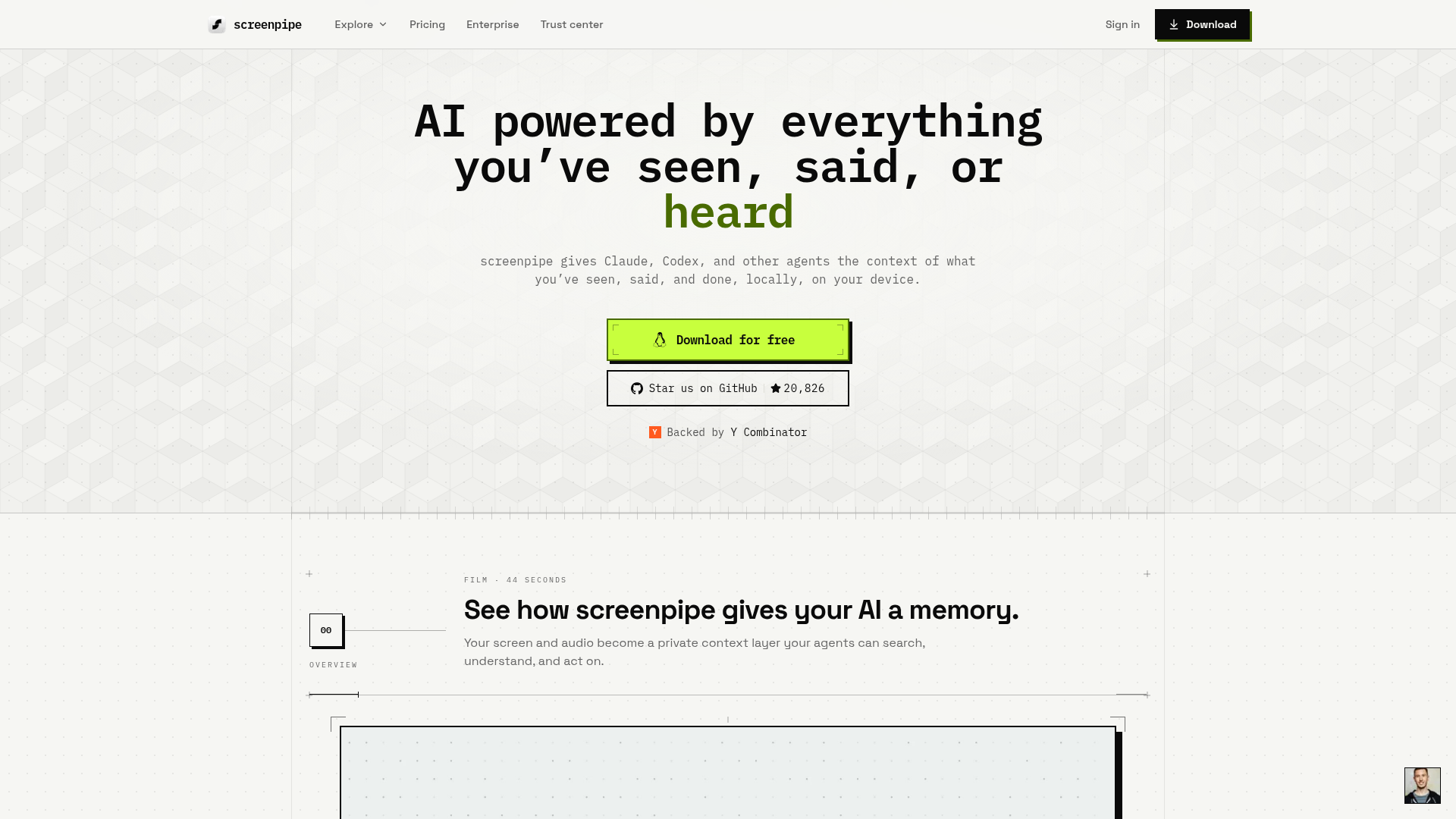
The pitch is disarmingly simple: "Record how you work and turn that into agents." But screenpipe is not another screen recorder. It's a local-first memory layer that captures everything you see, say, and hear on your computer, then exposes that history to AI agents like Claude and Codex. The name says it all—a pipe for your screen, a conduit that turns the ephemeral chaos of a workday into structured, searchable context.
Screenpipe's thesis is that the biggest bottleneck for AI agents isn't intelligence—it's memory. Models can reason, but they forget what you did in that Slack thread last Tuesday. Screenpipe aims to be the persistent memory that agents lack, stored locally on your device, under your control.
The pipe that remembers what you forgot
Screenpipe continuously captures your screen and audio, but not in the naive way of a screen recorder that saves every pixel. It's event-driven: it listens for meaningful activity—app switches, window changes, new content—and captures screenshots only when something changes. Text is extracted directly from applications via OS accessibility APIs, capturing structured UI elements with perfect accuracy, with OCR as a fallback for apps that don't expose accessibility data. Audio is transcribed in real-time using OpenAI's Whisper model, running locally.
All of this is stored in a local SQLite database. The result is a searchable timeline of your work: every email you read, every code snippet you saw, every meeting you attended. You can ask natural language questions like "What did we discuss in the standup yesterday?" and get grounded answers, because the data is right there on your machine.
How screenpipe turns your screen into a searchable timeline
The core experience is a chat interface that lets you query your own history. The website shows a demo where a user asks, "Update my Linear tickets with this week's progress," and screenpipe responds by actually updating four tickets, linking PRs, and noting a Slack feedback log—all with sources cited. That's not just search; it's action.
What makes this possible is the "context layer" that screenpipe builds. It knows who you are (your role, your memory span, your devices), your company (live deals, open pilots, churn risks), and your connected apps (Notion, HubSpot, Slack, Obsidian, and 44 others). Every answer is grounded in your own screen, calls, and apps—not in some generic cloud corpus.
Agents that act on what they see—not just what you tell them
Screenpipe doesn't just answer questions; it runs agents. The "Act" section shows a meeting-notes agent that triggers when a meeting ends, transcribes it, summarizes it, and pushes the notes to Notion. The agent is defined in a simple markdown file (pipe.md) with a trigger and a prompt, and it runs on-device. You can see the entire run: what triggered it, what context it used, what it did, and where the result went.
This is a departure from the black-box automation of Zapier or n8n. Screenpipe's agents are transparent—you can inspect the trigger, the context, the decision, and the result. And because they run locally, they can operate on sensitive data without sending it to the cloud.
The privacy tradeoff: local-first as a feature, not a constraint
Screenpipe's privacy model is its strongest differentiator. It stores 100% of your data on your own device. You can use fully local AI models (via Ollama) so no data ever leaves your machine, or connect to cloud models like ChatGPT or Claude for more powerful analysis. The website emphasizes controls: password managers are excluded, cards and keys are redacted, cloud upload is off by default, and a local policy is applied before storage.
This local-first approach is a direct response to the privacy concerns that have plagued cloud-based alternatives like Rewind.ai (now Limitless), Microsoft Recall, and Otter.ai. Screenpipe positions itself as the private alternative: "Your memory is a local database with an API, an SDK, and source code you can inspect." For enterprises, it offers MDM, SSO, audit logs, and a trust center—signals that it's serious about compliance.
The pipe as a product metaphor: naming and positioning
The name "screenpipe" is a clever compound: it suggests a literal pipe for your screen, a conduit that captures and channels your digital activity. It's memorable, descriptive, and hints at the technical plumbing underneath. The domain screenpipe.com is clean and exact, and the company even uses the playful email [email protected], reinforcing the pipe motif.
But the name also carries a risk: it sounds like a utility, not a platform. "Pipe" implies a simple conduit, but screenpipe is building an orchestration layer for agents. The name might undersell the ambition, making it seem like a passive recorder rather than an active agent platform. Still, in a category crowded with abstract names like "Limitless" and "Recall," screenpipe's concrete, functional name stands out—it tells you exactly what it does.
Where the pipe leaks: open questions and honest limits
Screenpipe is ambitious, but there are open questions. The website doesn't disclose pricing, funding, or the size of the team (though it mentions Y Combinator backing and a GitHub star count of 20,870). The enterprise features are promising but unproven at scale. And the core value proposition—giving agents memory—depends on the quality of the underlying models and the accuracy of the capture.
There's also the question of trust. Even with local-first storage, users must trust that the software doesn't leak data through its optional cloud AI connections. The website addresses this with a trust center and security architecture, but the proof will be in independent audits and real-world deployments.
Who should care (and who should wait)
Screenpipe is best for power users who live in their computers: developers, consultants, salespeople, and anyone who juggles multiple apps and meetings. If you've ever thought, "I know I saw that somewhere," screenpipe is for you. It's also compelling for teams that want to give their AI agents context without sending proprietary data to the cloud.
But if you're not comfortable with the idea of your screen being recorded—even locally—or if you need a fully managed, no-setup solution, you might want to wait. Screenpipe is source-available, not fully open source, and it requires some technical comfort to install and configure. The website's FAQ hints at these tradeoffs, but the real test will be in the day-to-day experience of relying on a pipe that never forgets.